
Close batches and reconcile Stripe payouts
Review open totals, close batches manually or on a schedule, and track verified payout lots.
- 1
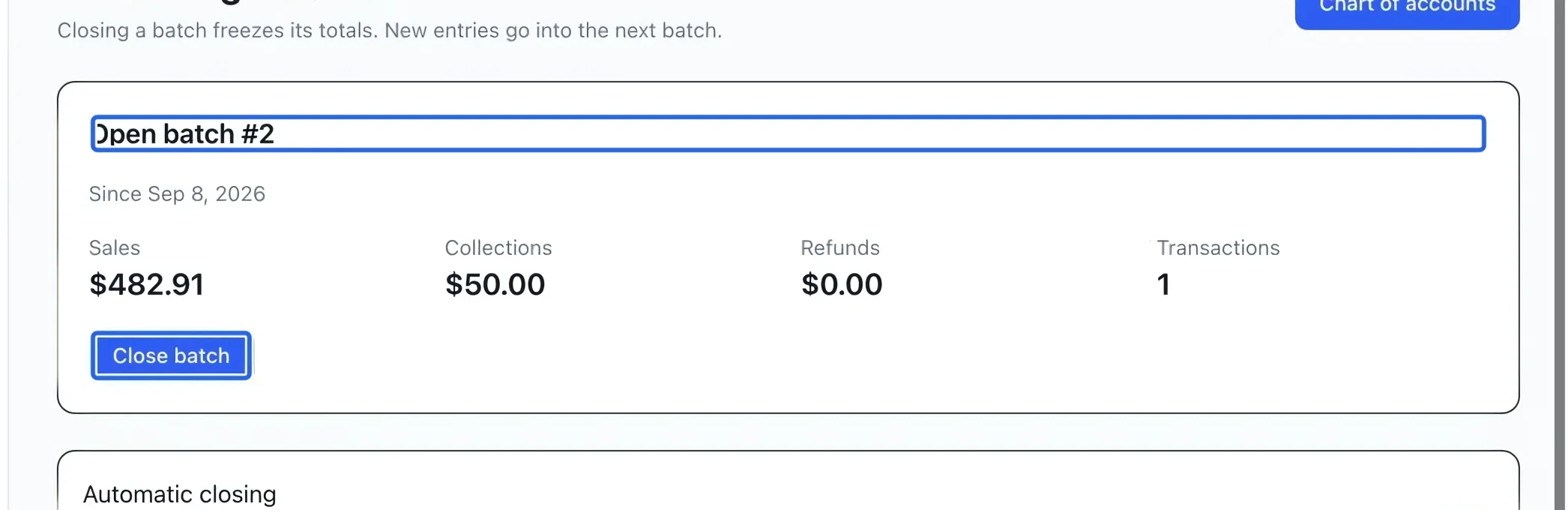
Review and close the open batch
Open Accounting batches. Compare Sales, Collections, Refunds and Transactions for the open batch with your records. Click Close batch when the review is complete. Closure freezes membership and totals and opens the next batch; a closed batch cannot be reopened.
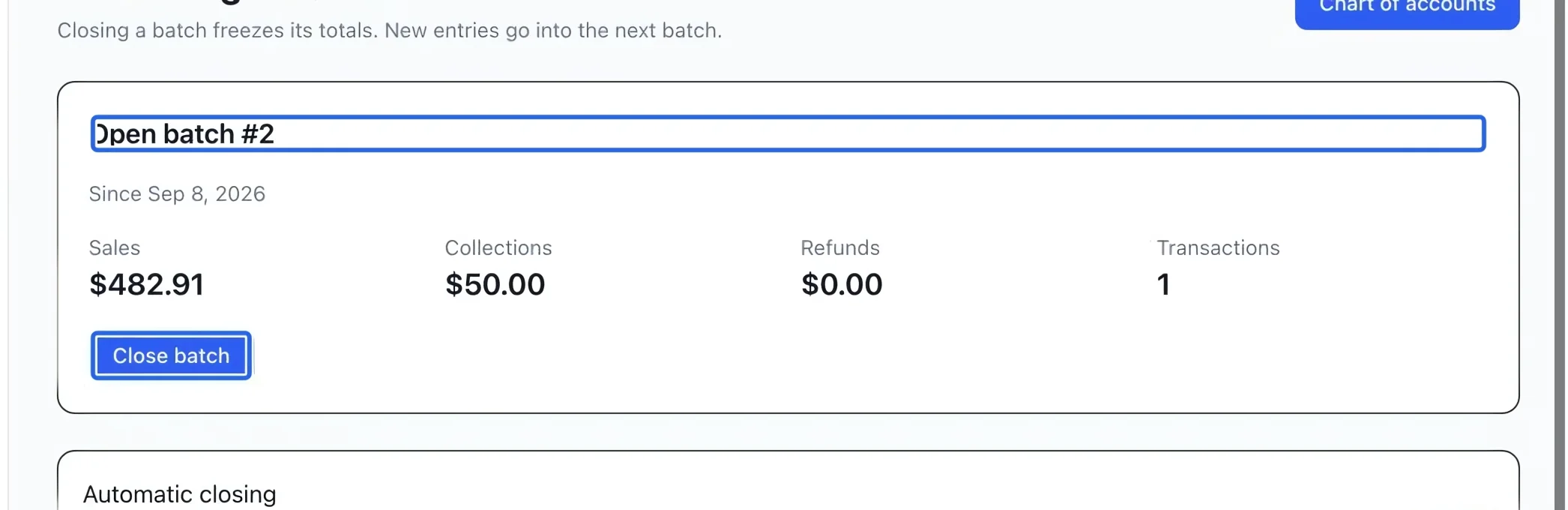
Select the screenshot to enlarge it. The blue outline marks the control to use.
- 2
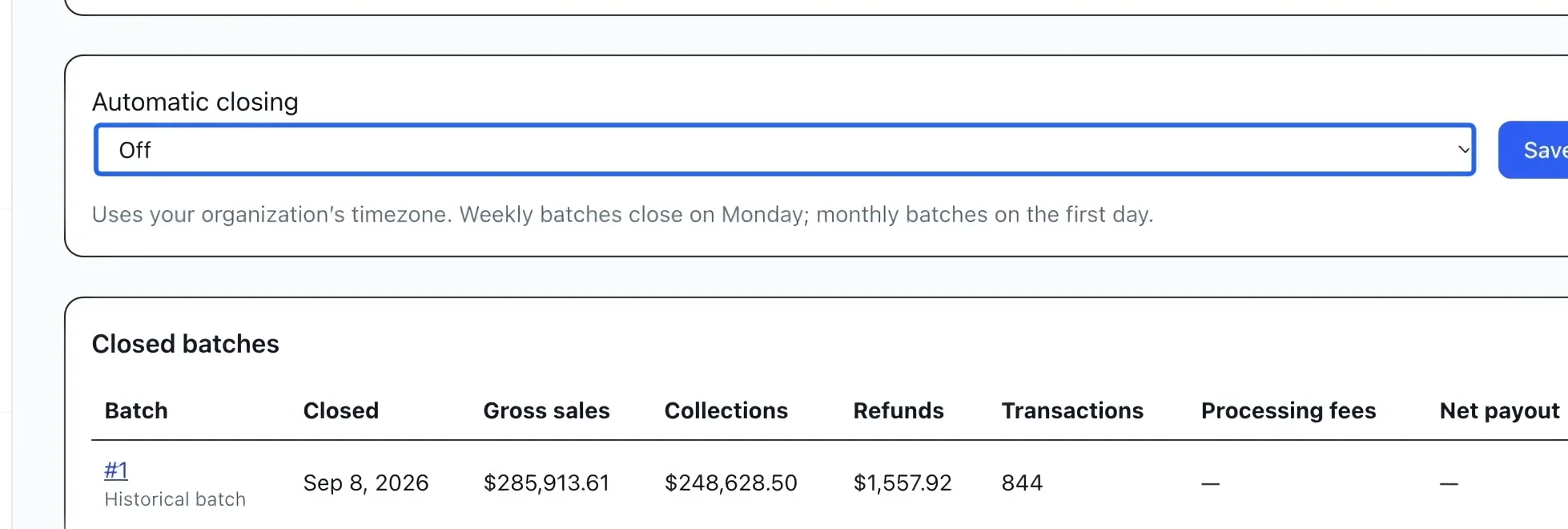
Schedule automatic closing
Select Automatic closing: Off, Daily, Weekly or Monthly, then Save. Boundaries use the organization’s timezone; weekly closes are on Monday and monthly closes on the first day. Off still allows manual closing. A payment recorded later belongs to the current open batch even if its effective date is earlier.
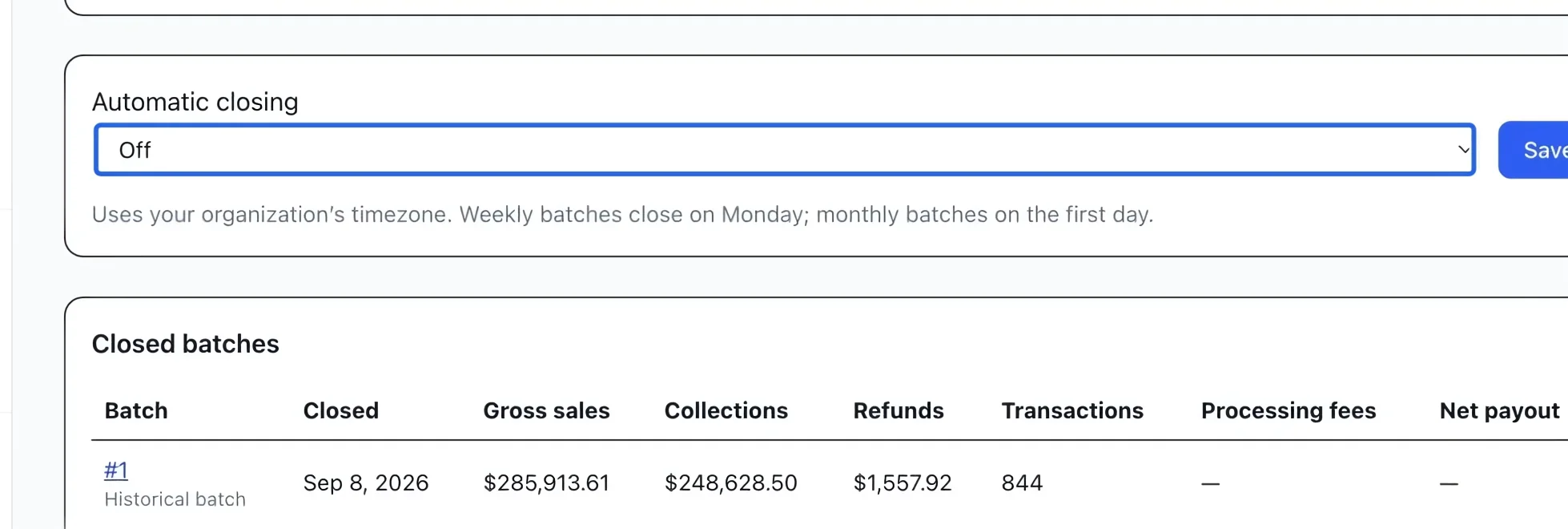
Select the screenshot to enlarge it. The blue outline marks the control to use.
- 3
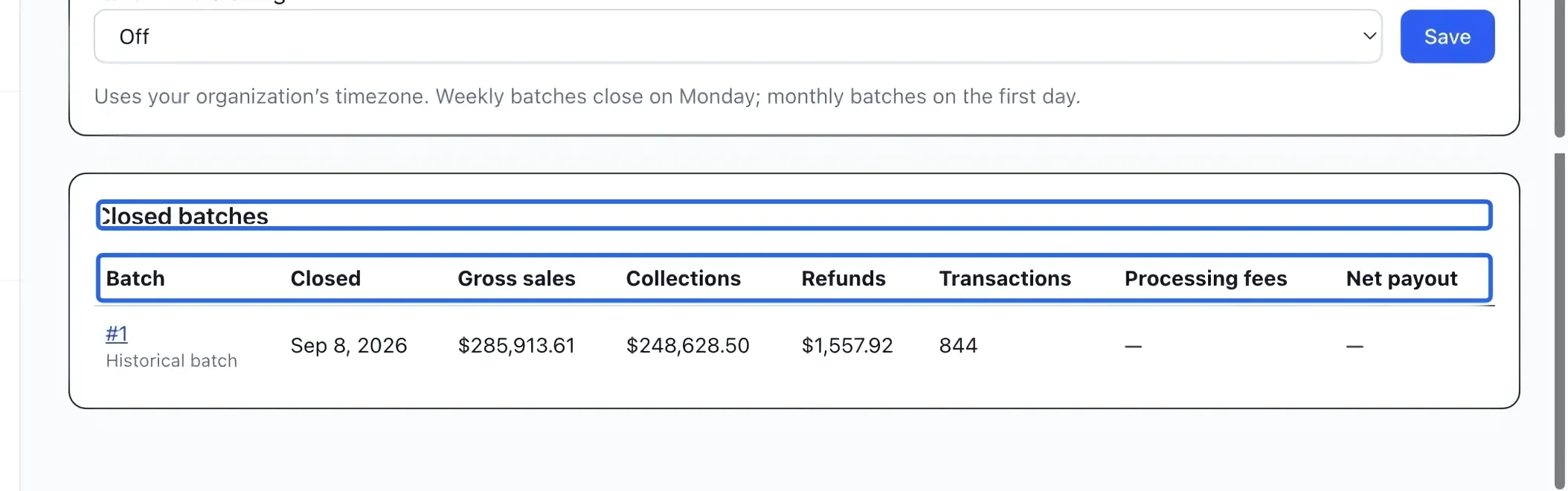
Inspect a closed batch
In Closed batches, check the batch type and frozen totals. Select its number to open the receivables journal filtered to that batch. Keep the batch number when exporting or reconciling. Sales and collections measure different events and need not be equal.
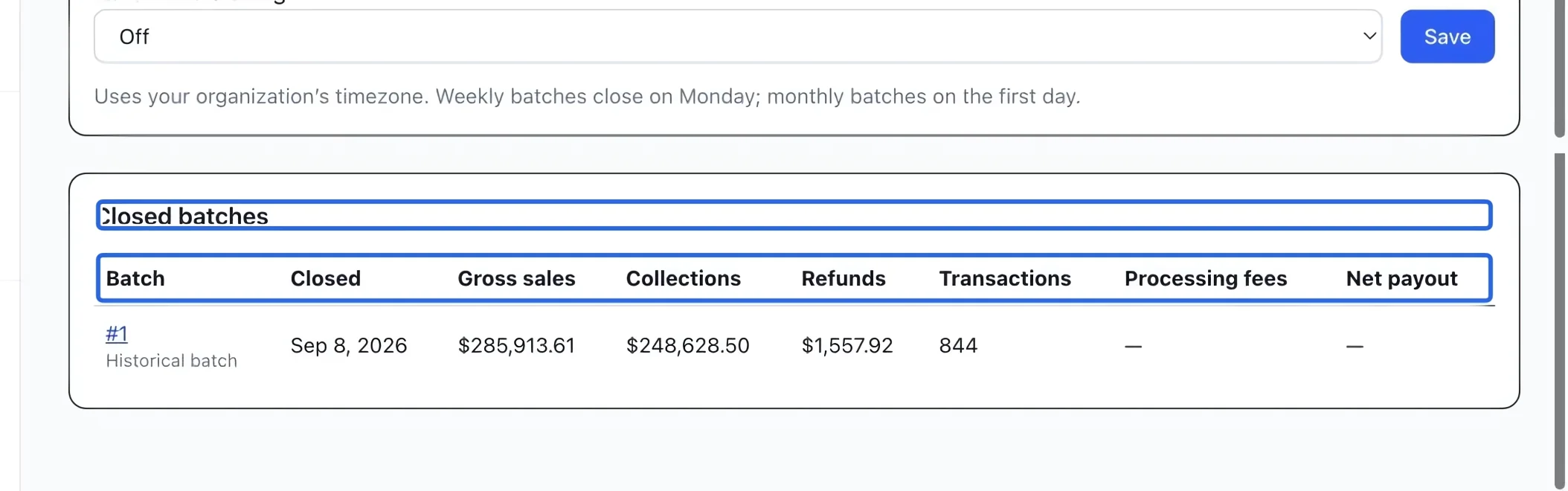
Select the screenshot to enlarge it. The blue outline marks the control to use.
- 4
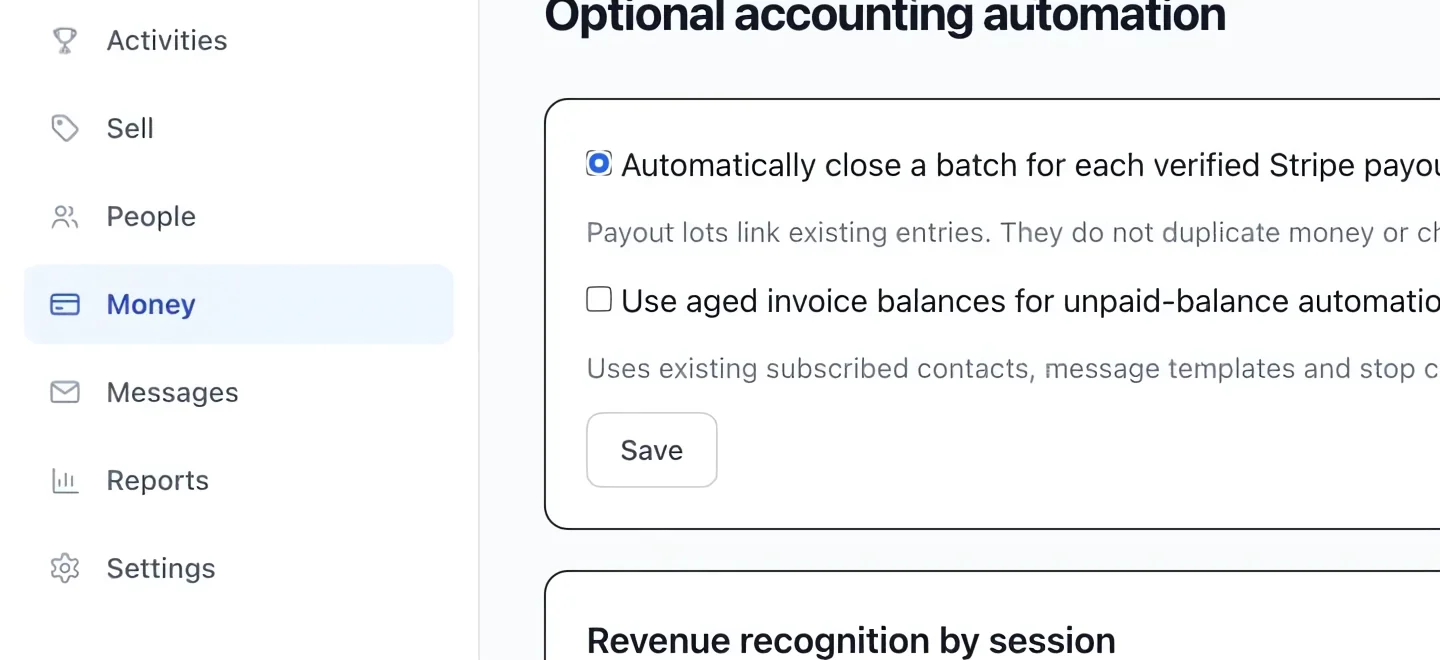
Enable verified Stripe payout lots
In Optional accounting automation, select Automatically close a batch for each verified Stripe payout, then save. A verified payout lot links existing entries and shows gross amounts, processing fees and net payout in batch history. It does not duplicate payments or alter ordinary batches. Only complete, reconciled payouts produce these lots.
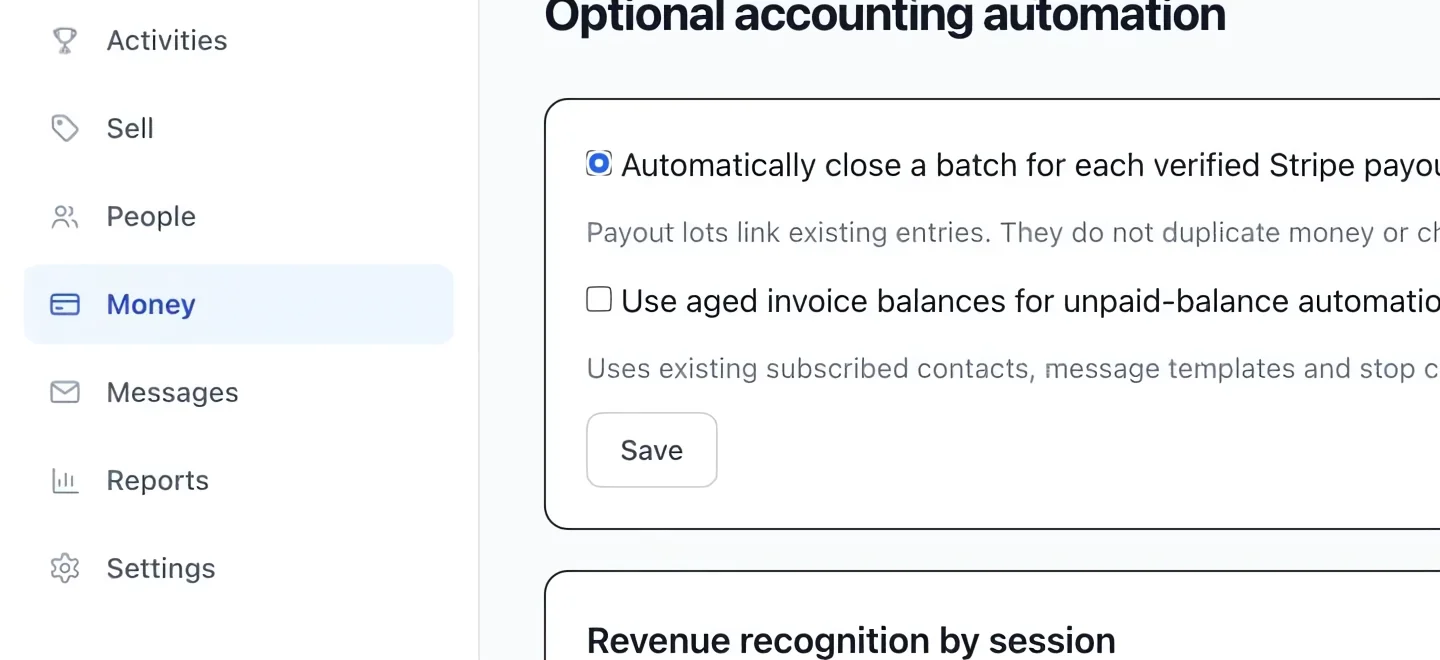
Select the screenshot to enlarge it. The blue outline marks the control to use.
Keep going
Read transaction status, method, refunded amounts and failure reasons.
Accounting & financial reportsMatch accounts and clients, then download generic, QuickBooks or Sage/Acomba journals and export summaries.
Accounting & financial reportsProtect a reviewed month from new postings and use an owner override when corrections are required.