
Recognize deferred revenue manually or by session
Release earned program revenue, or schedule recognition from the program’s sessions.
- 1
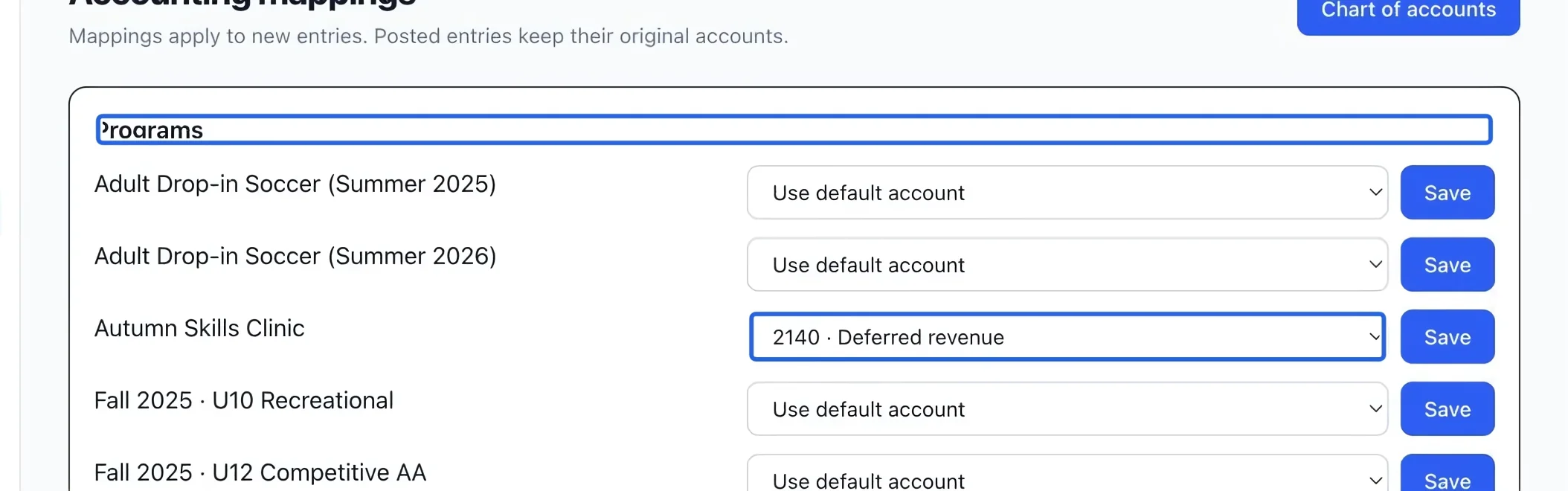
Prepare a deferred mapping
Use this workflow with Accrual accounting. Map the program or its rate to a deferred-revenue liability account before issuing the sale. Already posted sales keep their original accounts. Revenue remains deferred until it is earned and recognized.
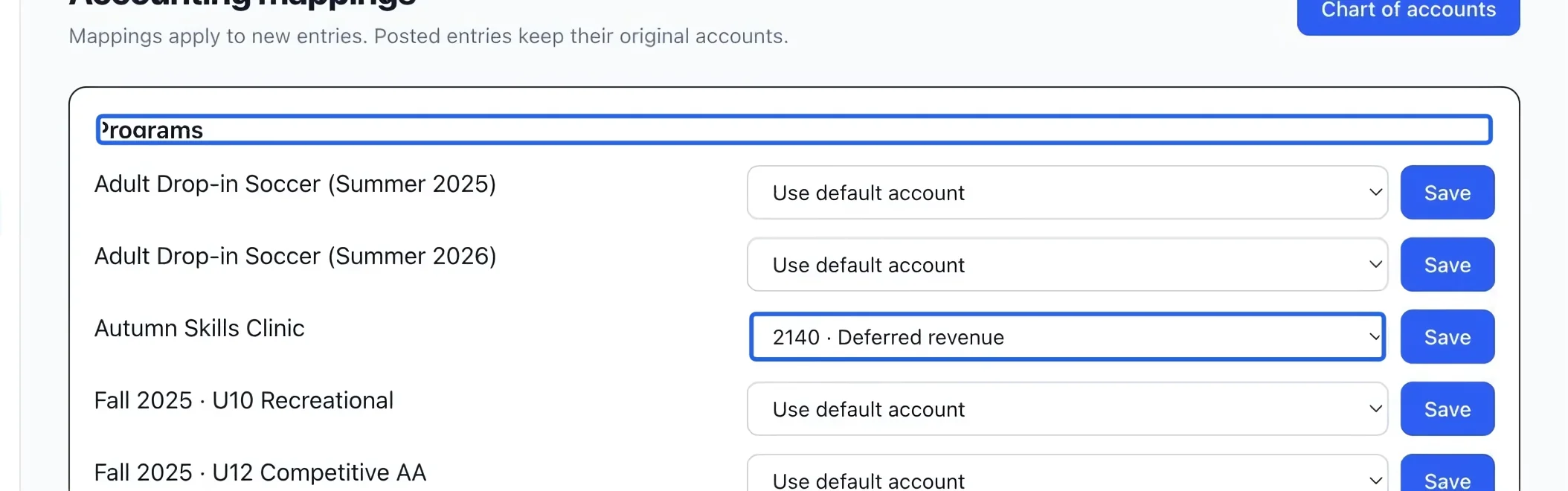
Select the screenshot to enlarge it. The blue outline marks the control to use.
- 2
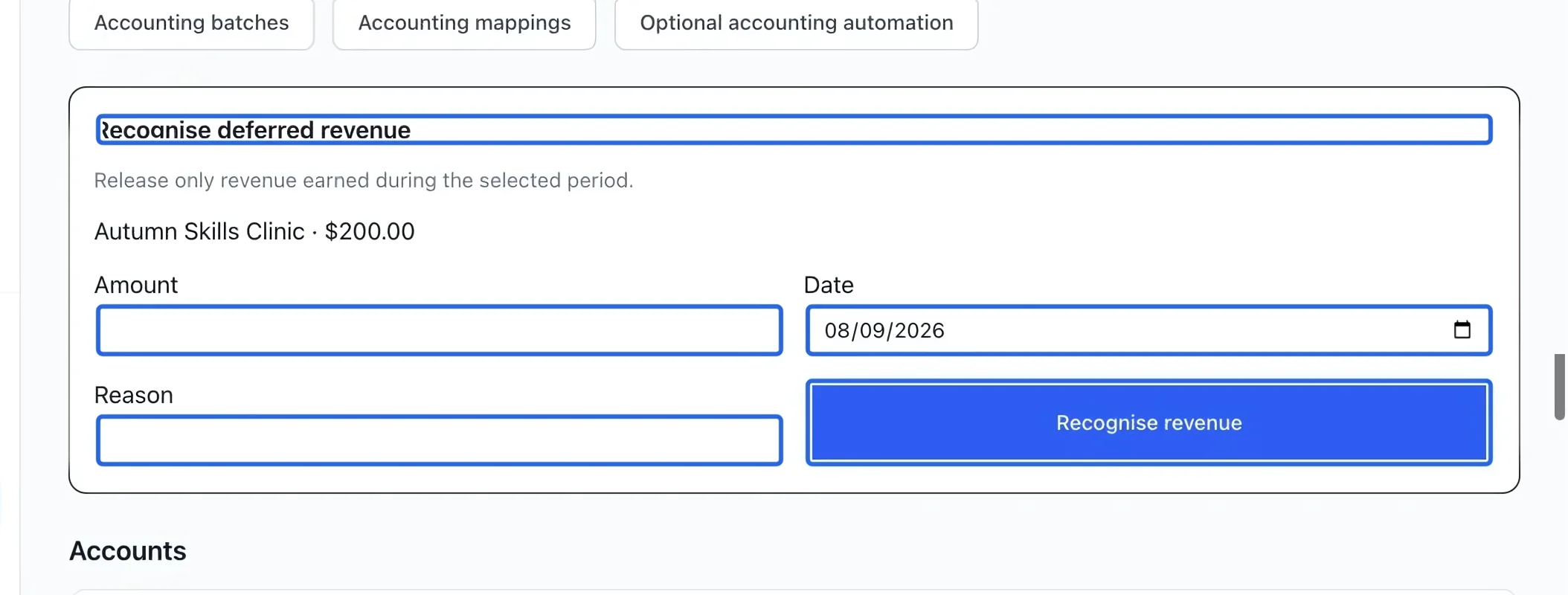
Recognize an earned amount
On Chart of accounts, find Recognise deferred revenue and the program’s remaining balance. Enter Amount, Date and an explanatory Reason, then Recognise revenue. Release only what has been earned, within the displayed balance. The section appears when deferred balances are available under accrual accounting.
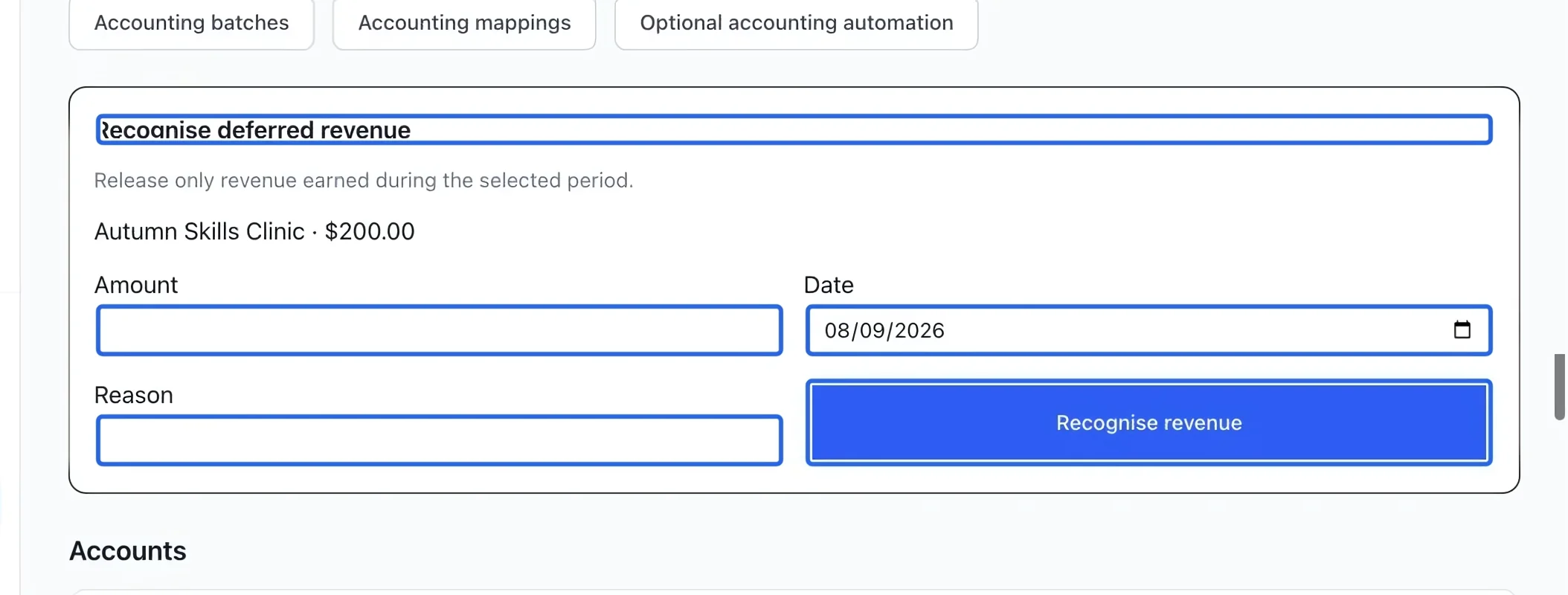
Select the screenshot to enlarge it. The blue outline marks the control to use.
- 3
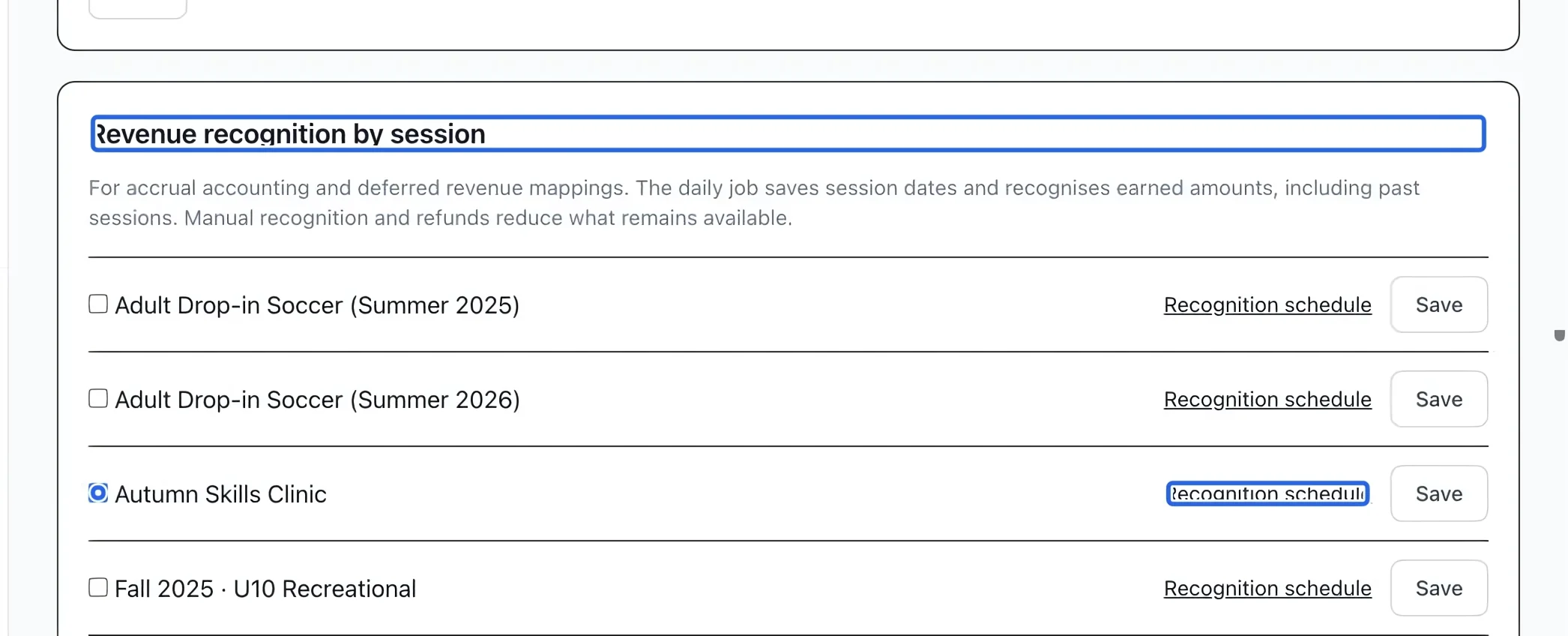
Enable recognition by session
In Optional accounting automation, find Revenue recognition by session, check the program and save its row. Open Recognition schedule to review the dates. The daily job saves allocations and recognizes elapsed sessions, including past sessions. Manual releases and refunds reduce the remaining amount.
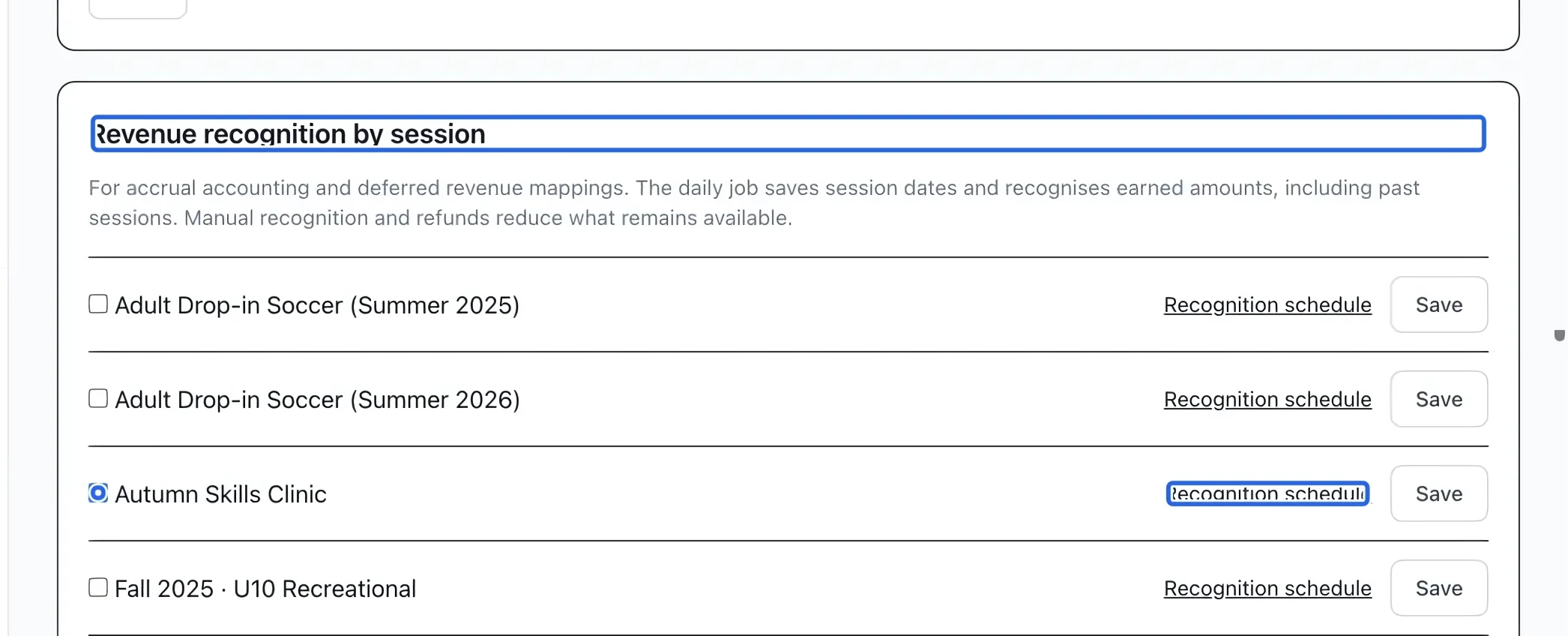
Select the screenshot to enlarge it. The blue outline marks the control to use.
- 4
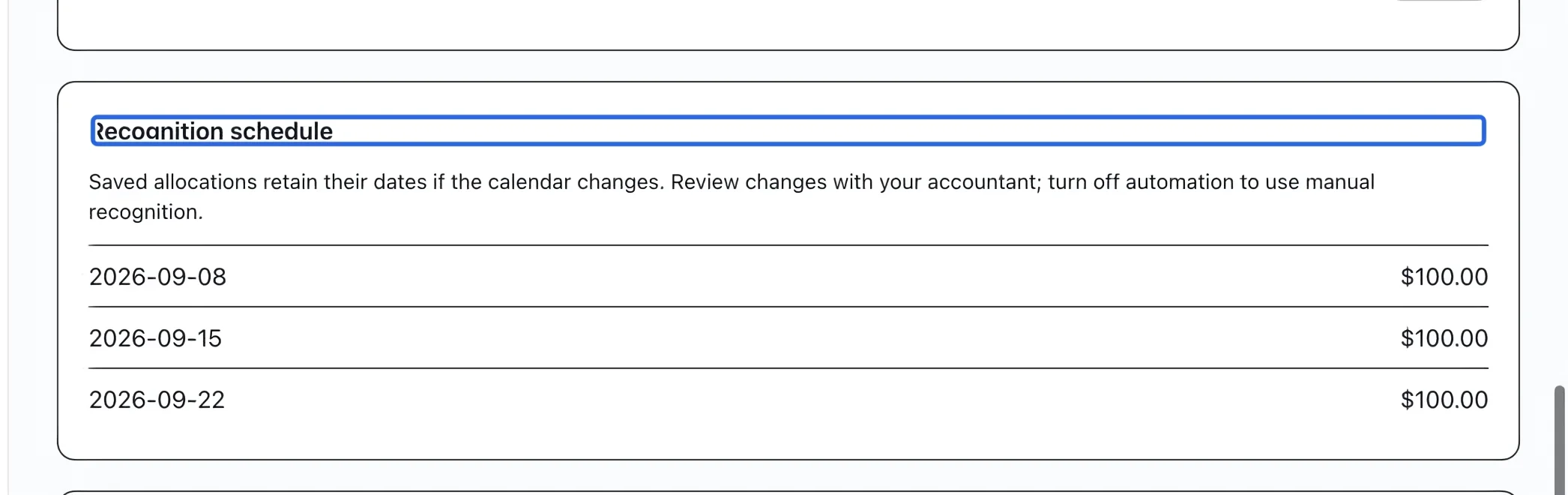
Review changes to the calendar
Review the saved dates and amounts before relying on the schedule. Saved allocations retain their dates if the program calendar changes. To return to manual recognition, uncheck the program and save; this does not undo entries already posted. Resolve any closed accounting month before attempting a correction in that month.
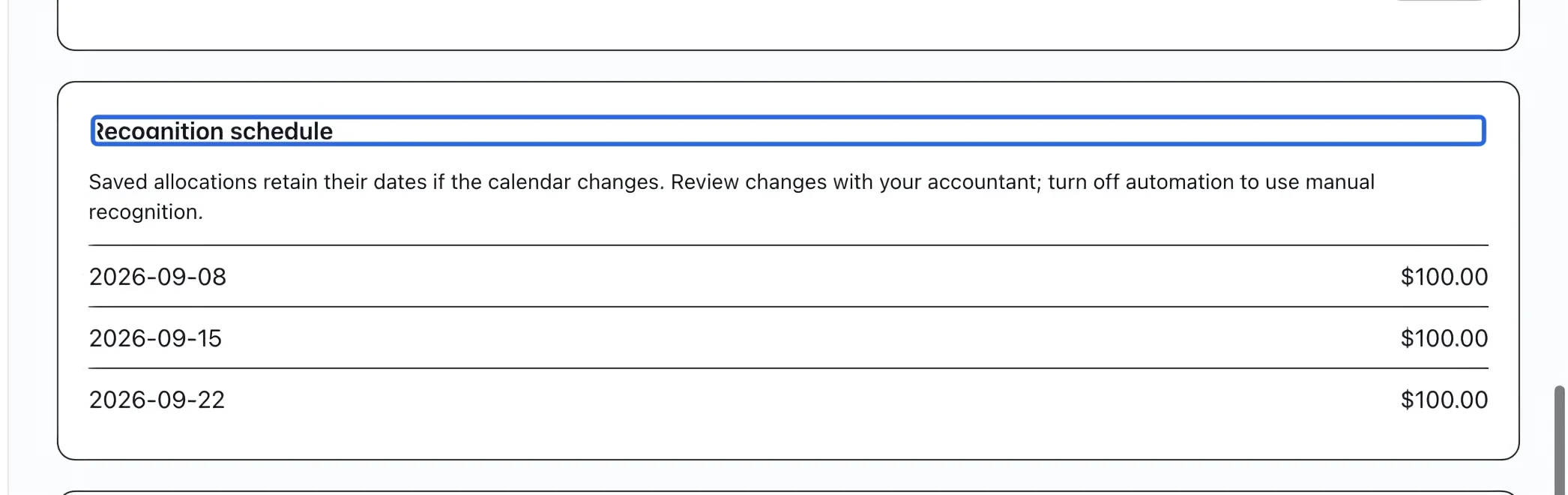
Select the screenshot to enlarge it. The blue outline marks the control to use.
Keep going
Route programs, rates, memberships, products and payment methods to the right accounts.
Accounting & financial reportsUnderstand gross sales, discounts, credits, refunds and net sales by account.
Accounting & financial reportsProtect a reviewed month from new postings and use an owner override when corrections are required.