
Write off an uncollectible invoice balance
Reduce an outstanding issued invoice with an expense account, date and audited reason.
- 1
Open the write-off controls
Open the issued invoice with an outstanding balance and expand Write off a balance. Accounting access is required. Drafts, void invoices, credit notes and fully settled invoices do not offer this action. Use a write-off when reducing an uncollectible debt; use a credit note for a price correction or refund.
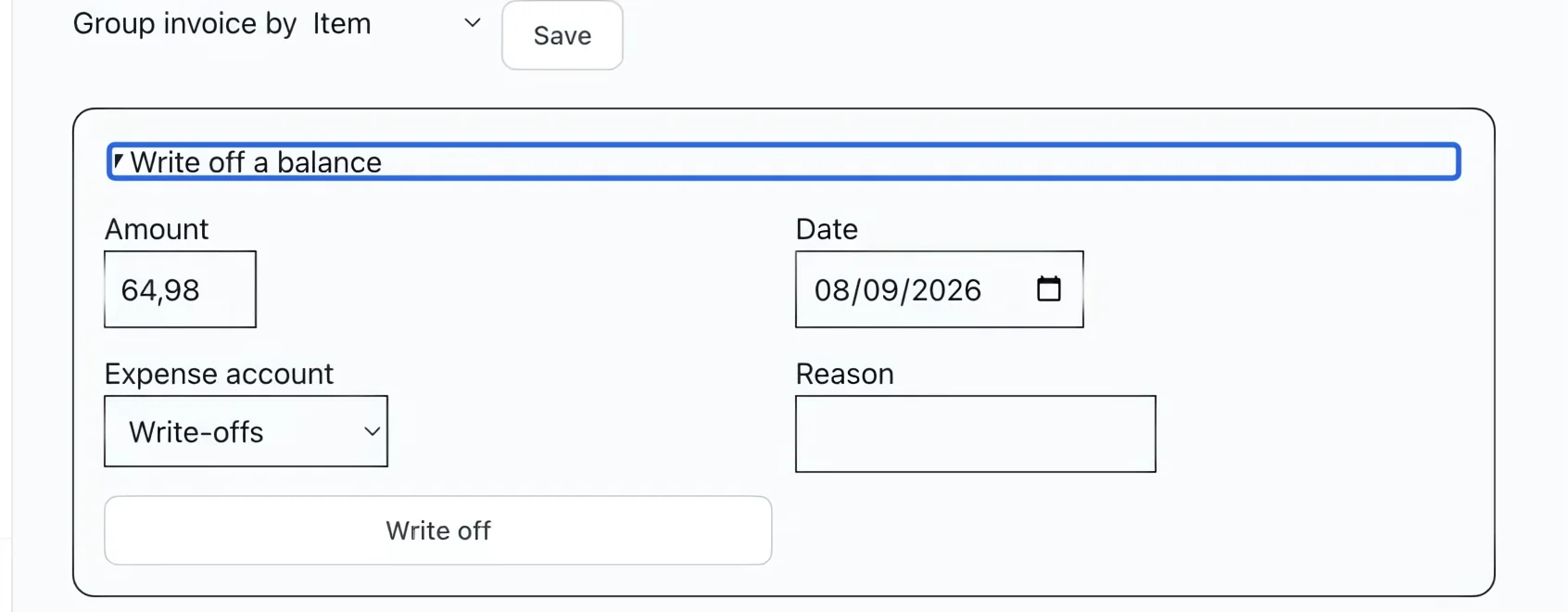
Select the screenshot to enlarge it. The blue outline marks the control to use.
- 2
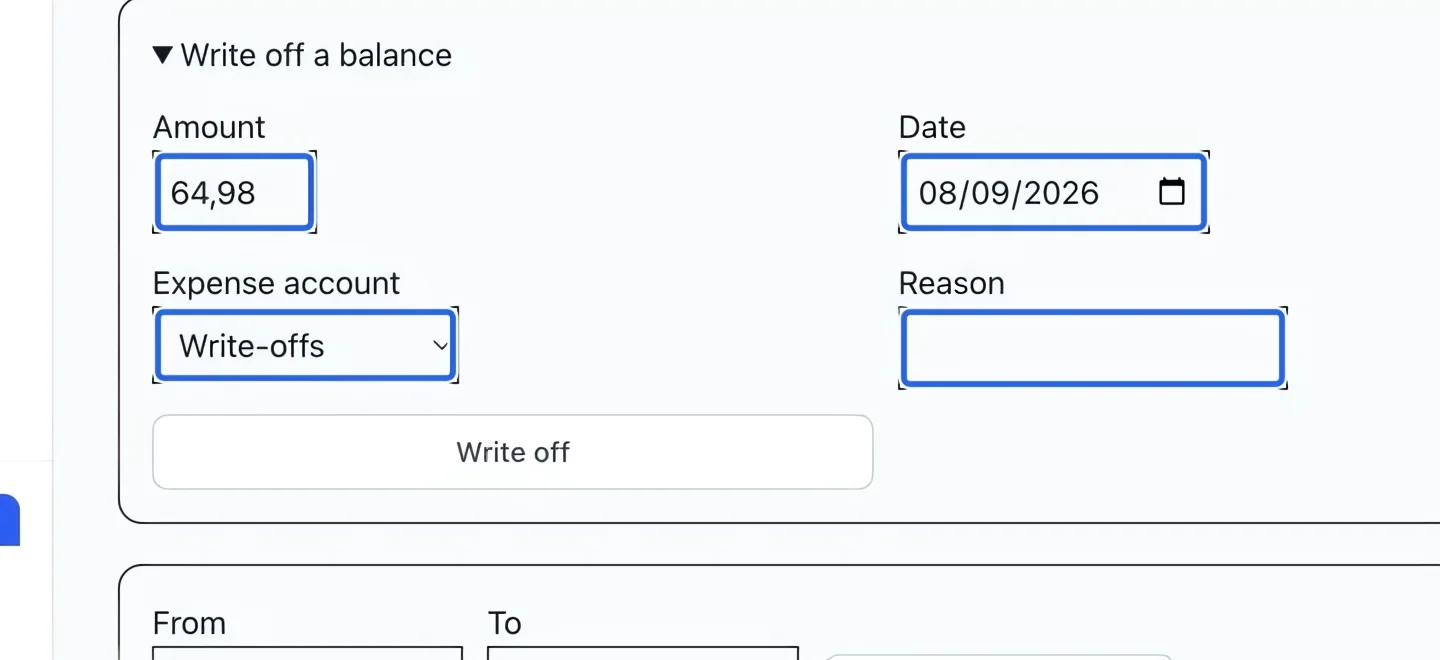
Specify the amount and expense
Enter the amount to write off, no more than the remaining balance. Set Date, choose Expense account (normally Write-offs) and enter a clear Reason. A partial write-off leaves the rest due. Check that the effective month is open.
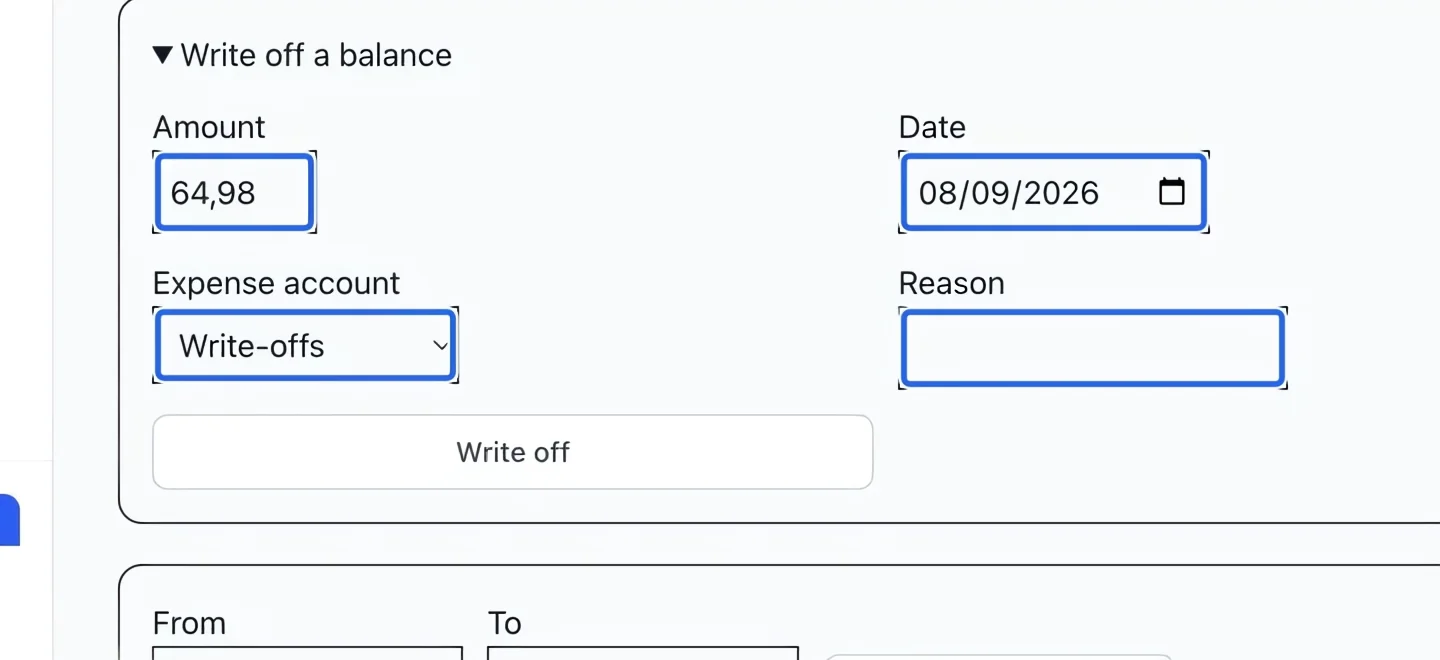
Select the screenshot to enlarge it. The blue outline marks the control to use.
- 3
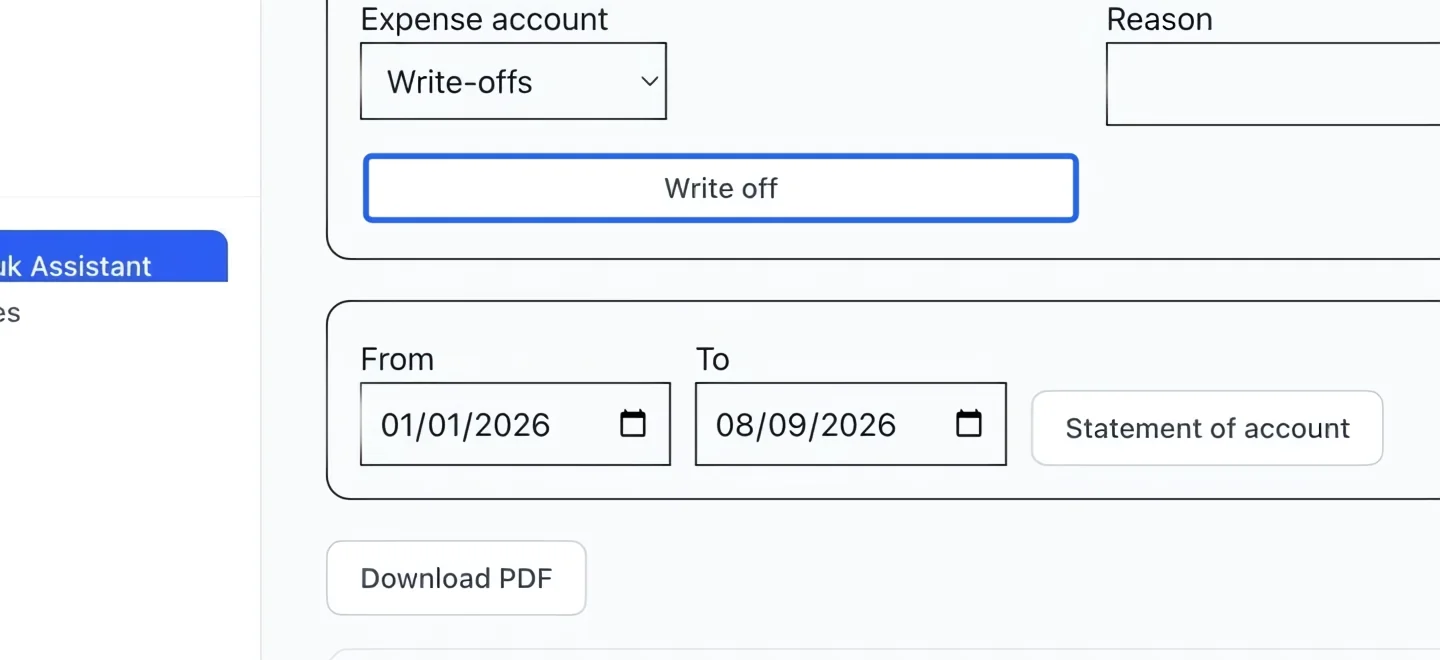
Confirm and verify the adjustment
Click Write off and read the confirmation before confirming. Ubouk creates a permanent credit note and balanced journal entry that reduce the debt. No refund or spendable account credit is sent, and no automatic tax reversal is created. Review the updated balance and Adjustments and discounts.
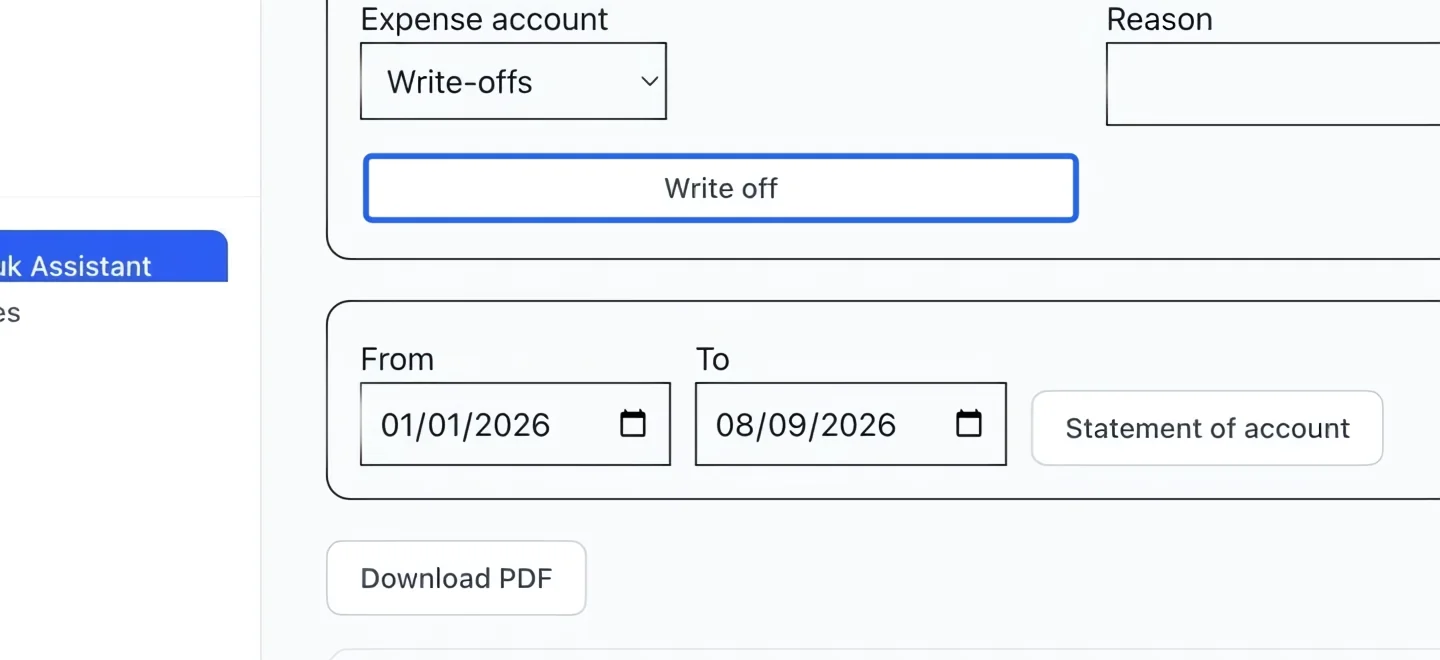
Select the screenshot to enlarge it. The blue outline marks the control to use.
Keep going
Reverse part or all of an invoice (as account credit or a real card refund) with clean books.
Accounting & financial reportsTrace write-offs, credit notes, cancellations, fees and discounts included in prices.
Accounting & financial reportsIdentify outstanding balances by due date and overdue bucket.