
Manage time off
Requests, approvals, multi-type leave balances, and how time off feeds the schedule's conflict warnings.
- 1
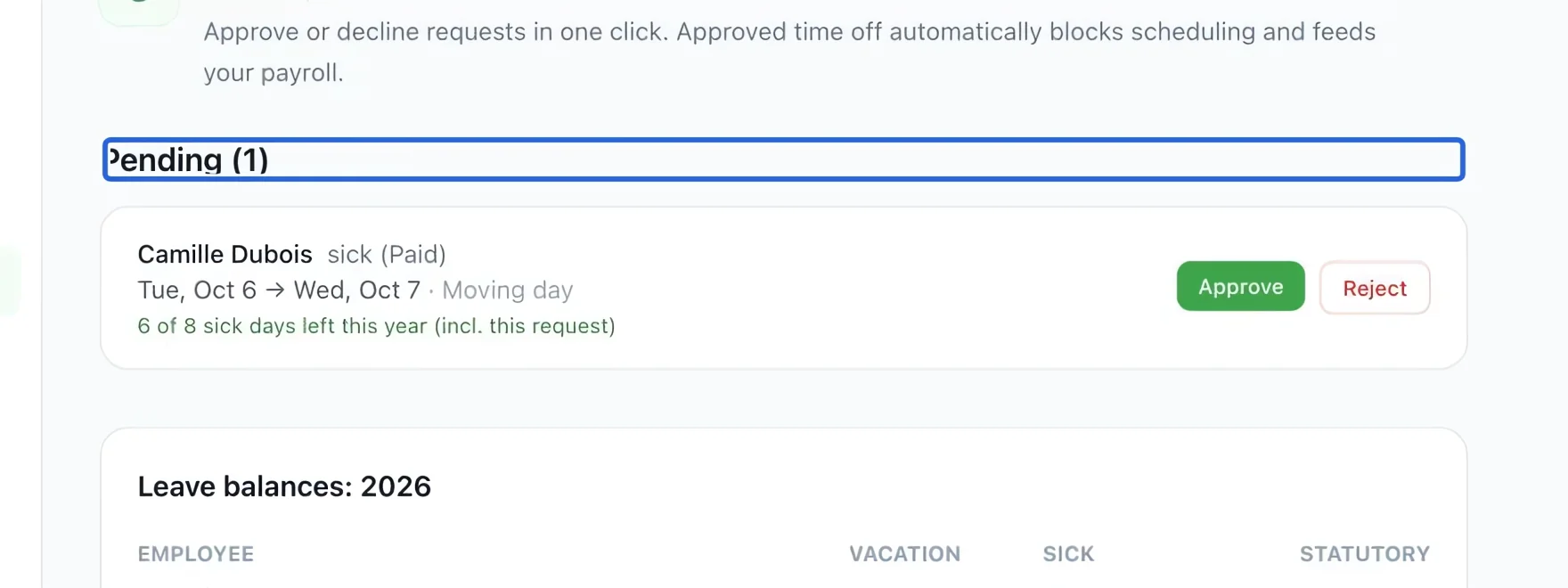
Read the pending request
Open Workforce → Time off. In Pending, check the employee, dates, leave type and reason before deciding.
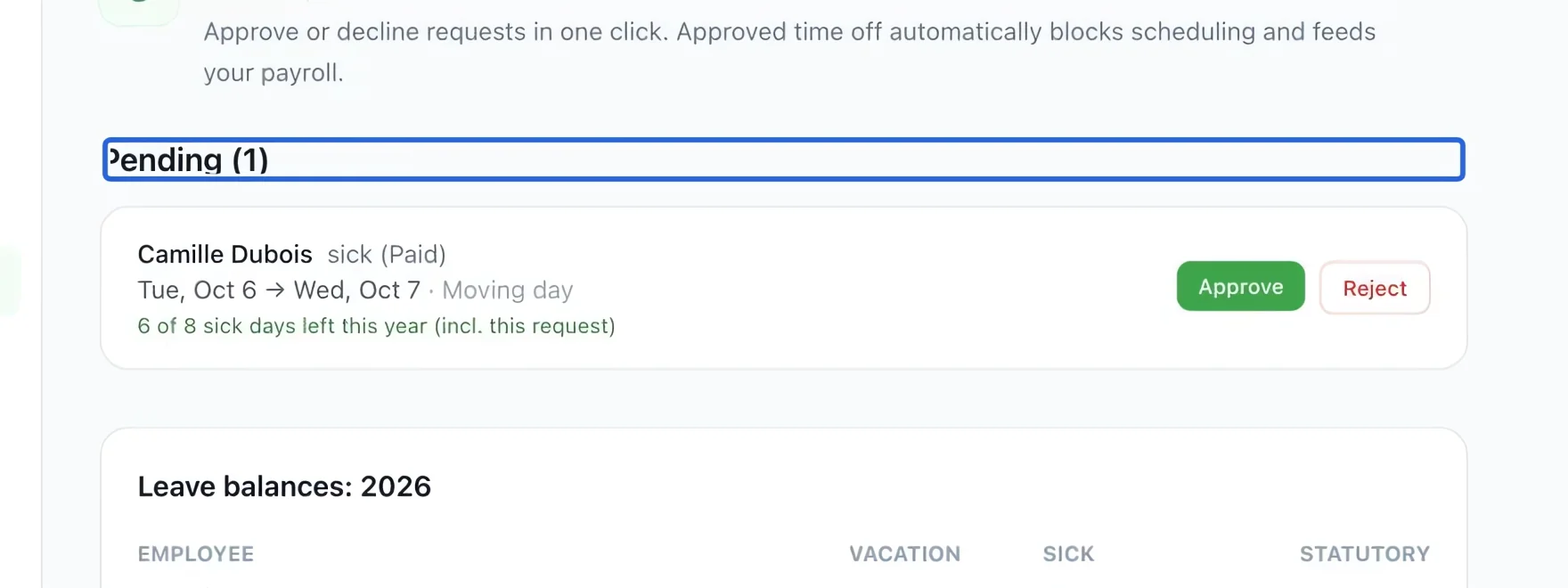
Select the screenshot to enlarge it. The blue outline marks the control to use.
- 2
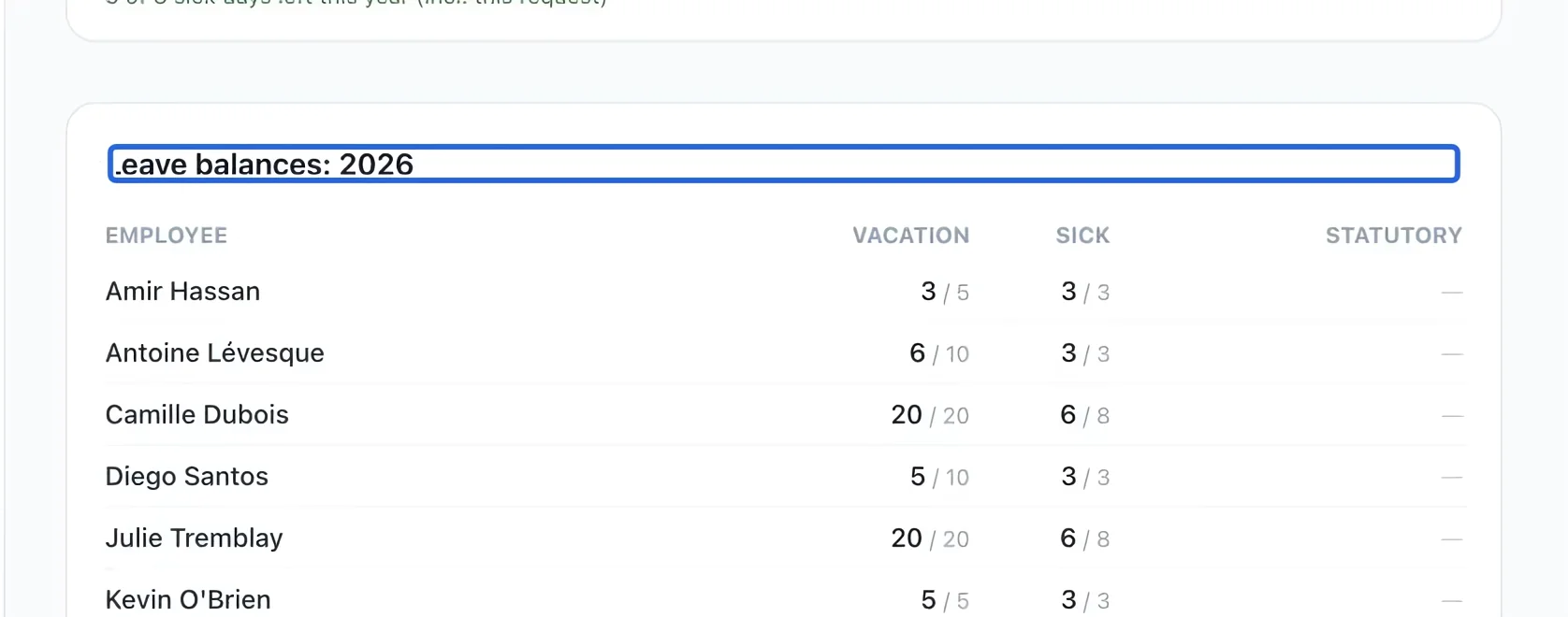
Check the leave balance
Review the displayed remaining allowance and the Leave balances table. Check the leave type and year; vacation and sick leave are separate balances.
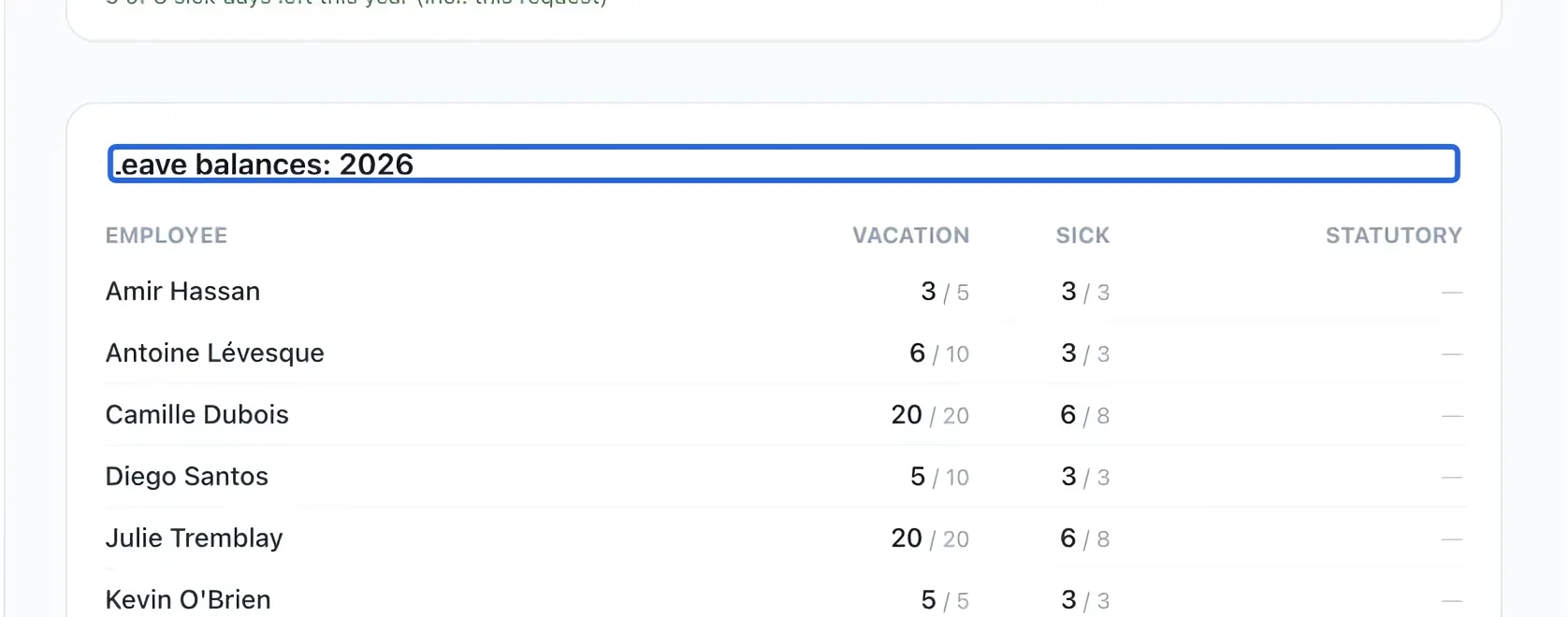
Select the screenshot to enlarge it. The blue outline marks the control to use.
- 3
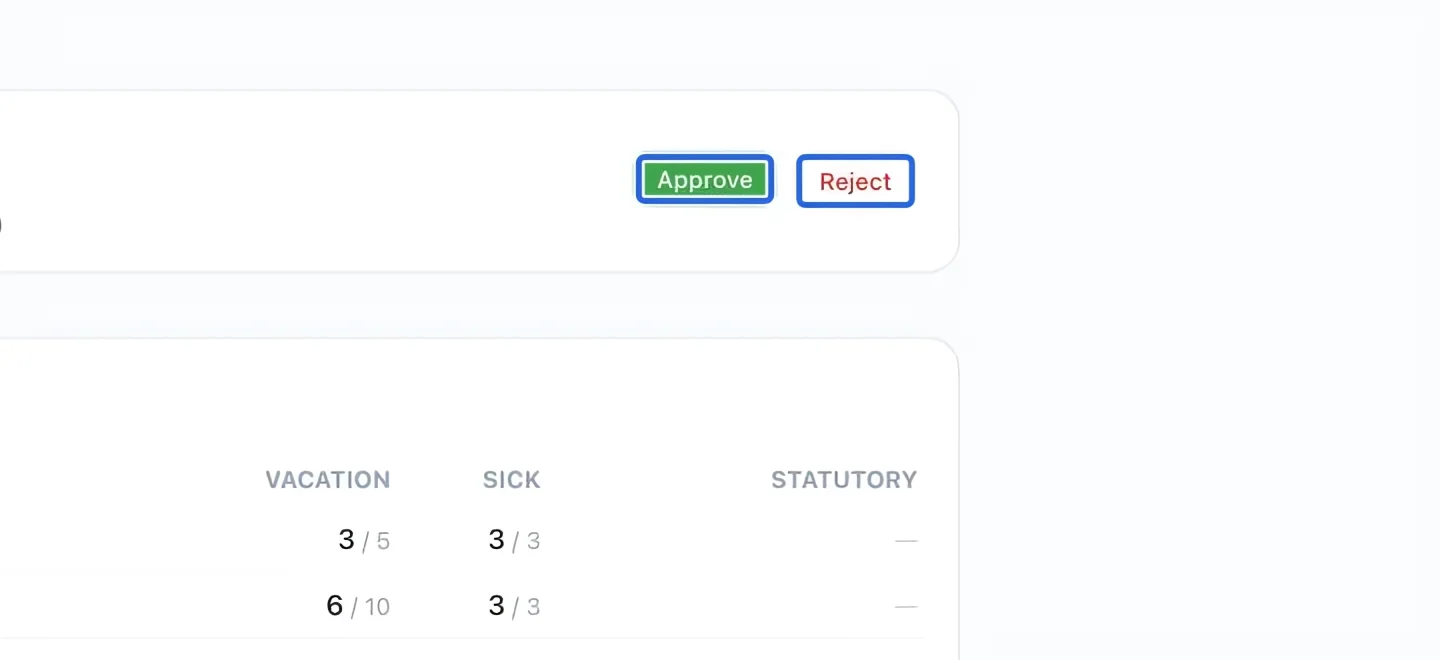
Record the decision
Click Approve or Reject on the correct request. Confirm the result in History. Approved time off is taken into account in scheduling checks; paid leave is considered according to your pay rules.
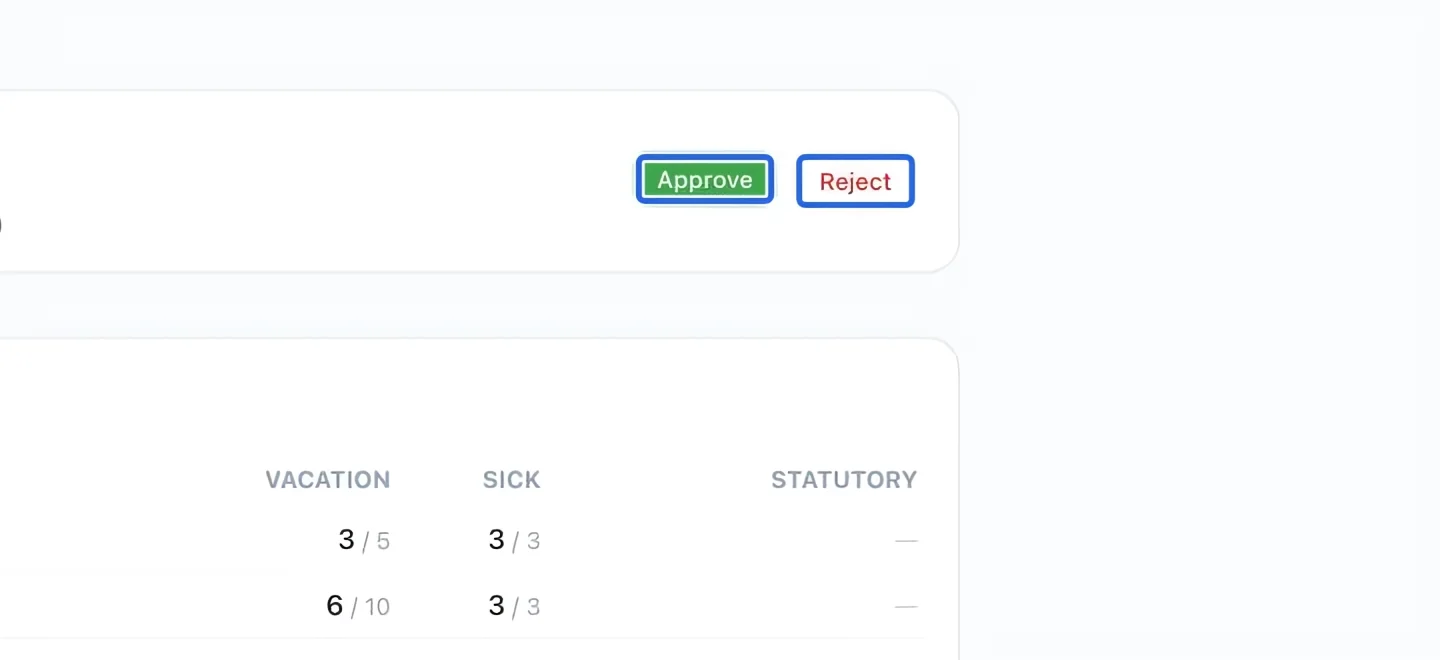
Select the screenshot to enlarge it. The blue outline marks the control to use.
- 4
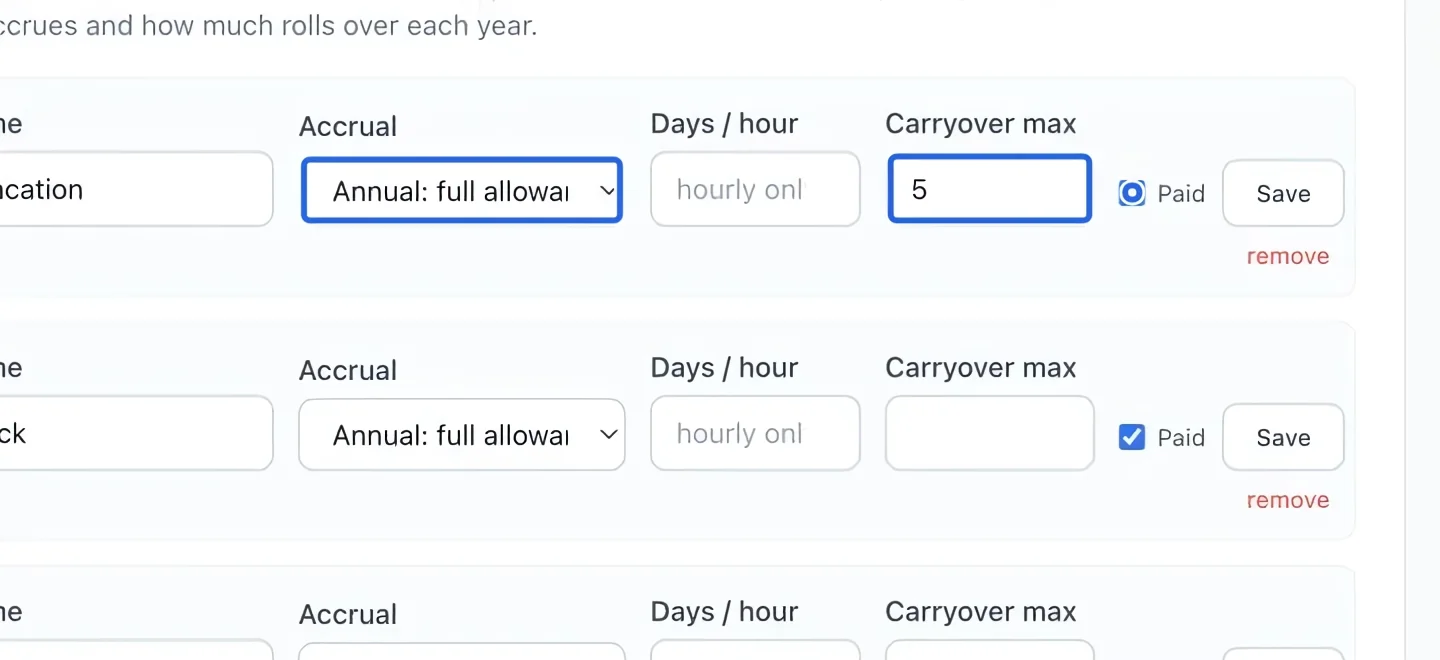
Configure leave rules when needed
For future requests, open Workforce settings and review Leave types & accrual. Employee-specific allowances live on each employee profile. Save changes using the corresponding leave-type row.
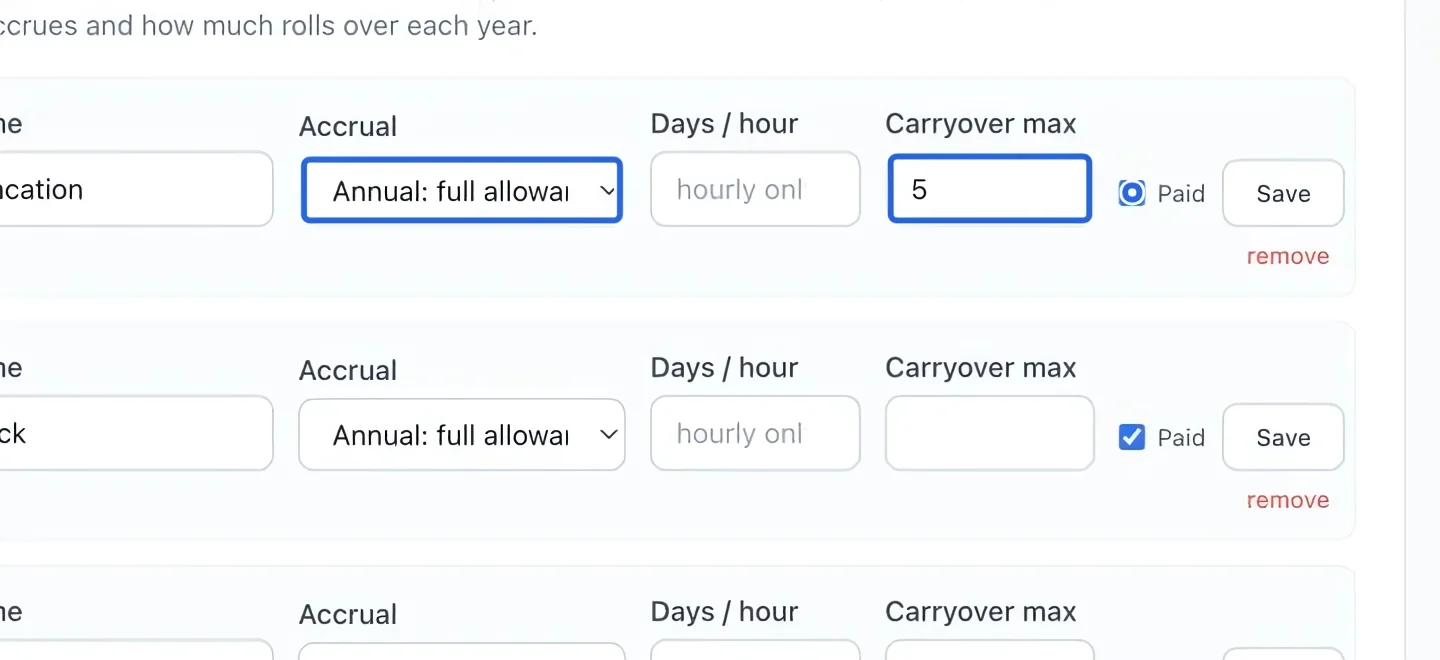
Select the screenshot to enlarge it. The blue outline marks the control to use.
Keep going
Create a shift, check its employee and times, resolve conflicts, then publish the week.
WorkforceDepartments, shift roles, pay rules, leave types, statutory holidays and manager permissions.
WorkforceReview the period, resolve readiness checks, verify totals and prepare the payroll export.