Find your way around
A five-minute tour: the three dashboards, the top bar, global search and where everything lives.
- 1
Choose your workspace
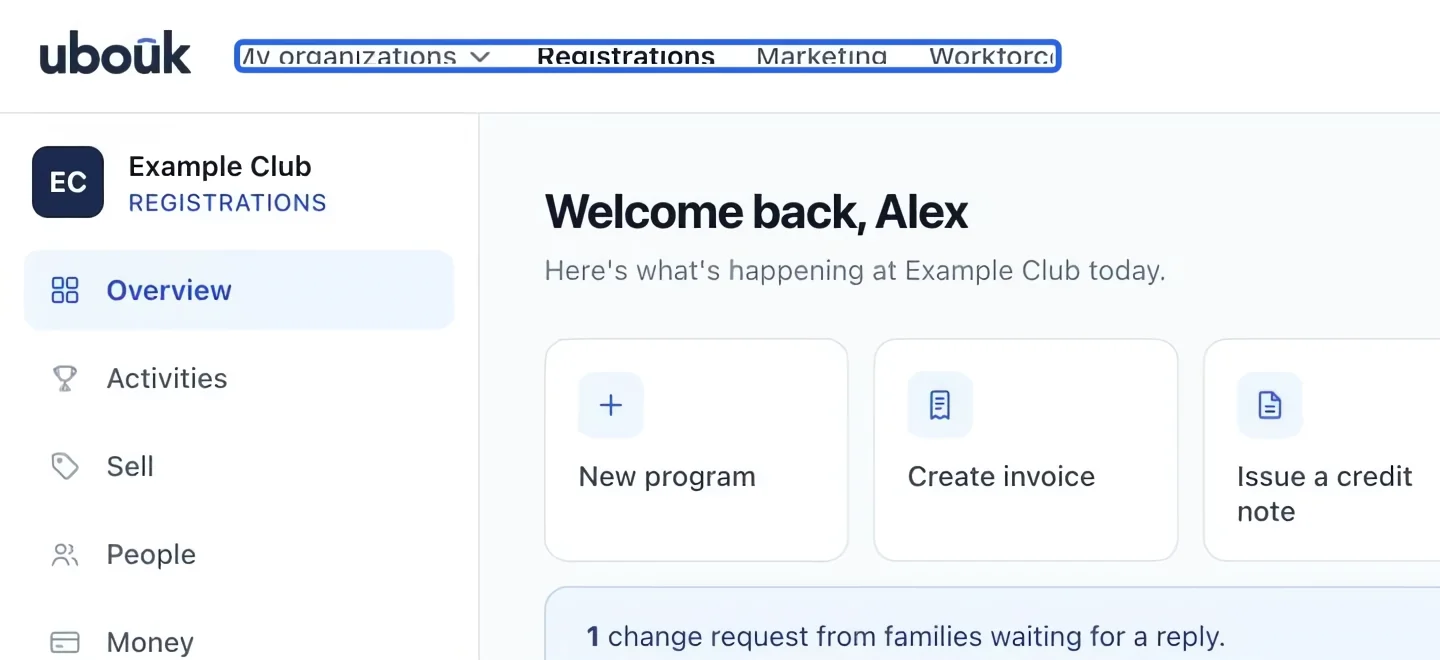
After signing in, use Registrations, Marketing, or Workforce in the top bar. Check the organization name above the left menu before making changes. Available modules depend on your role and plan.
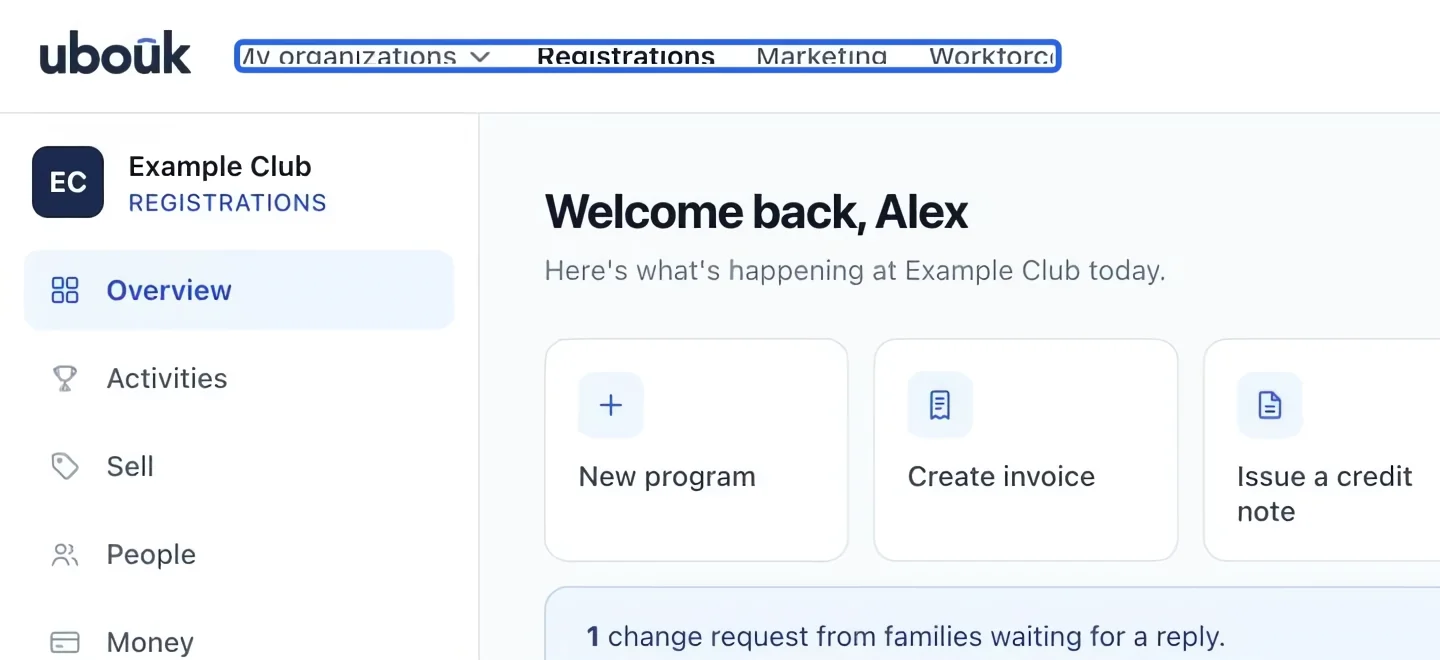
Select the screenshot to enlarge it. The blue outline marks the control to use.
- 2
Open a section
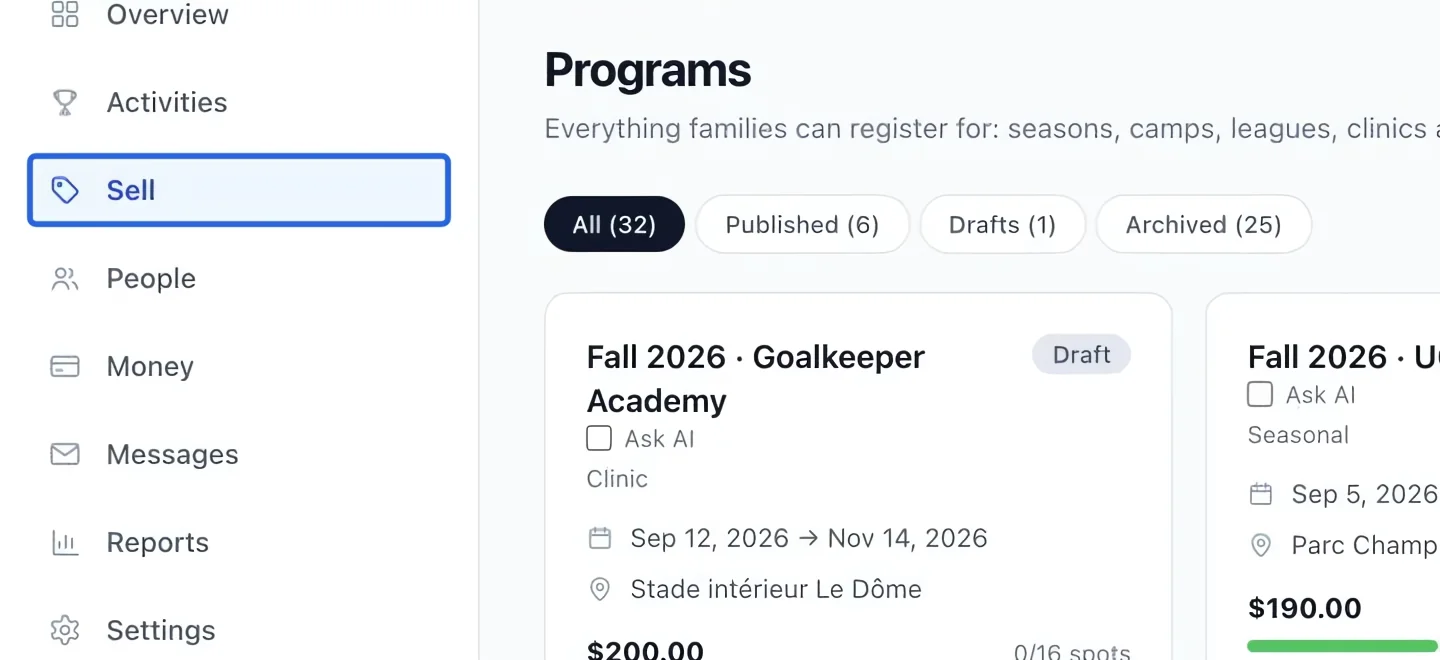
In Registrations, click Programs in the left menu. Sections group related pages. On a phone, use the bottom navigation and Menu to reach the same sections.
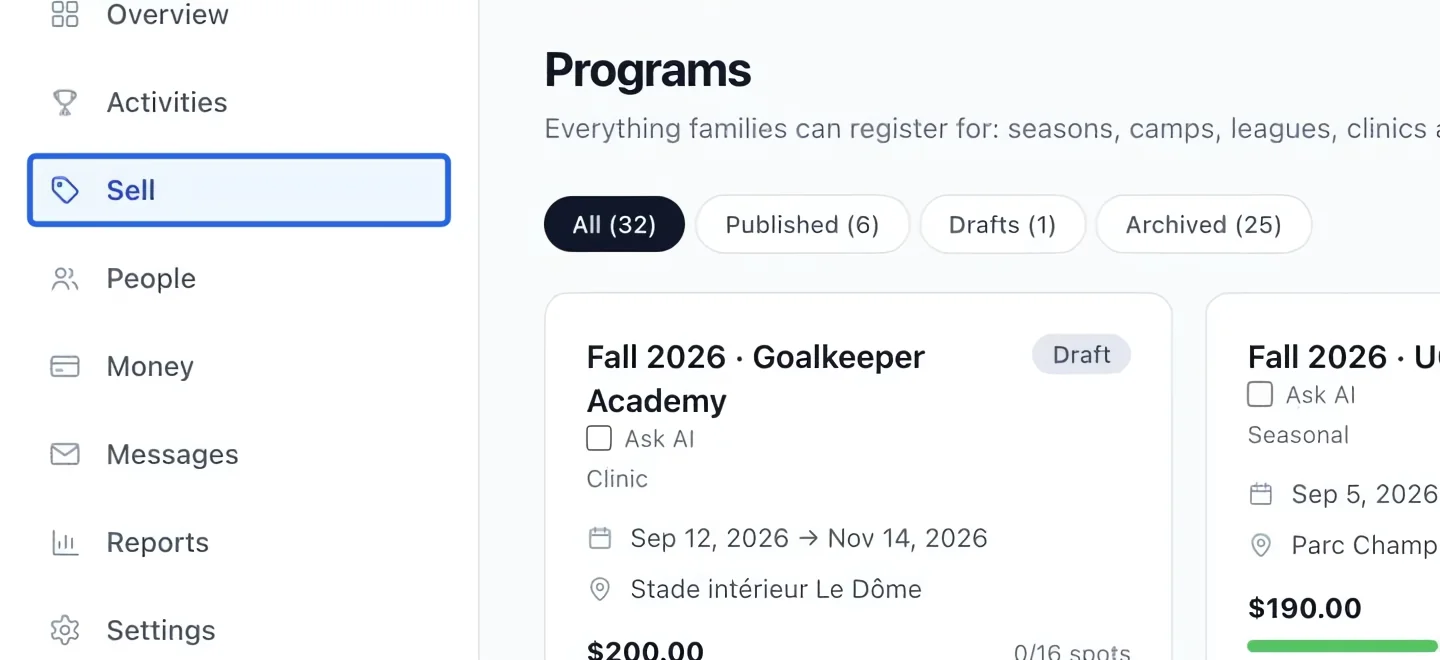
Select the screenshot to enlarge it. The blue outline marks the control to use.
- 3
Search for a record
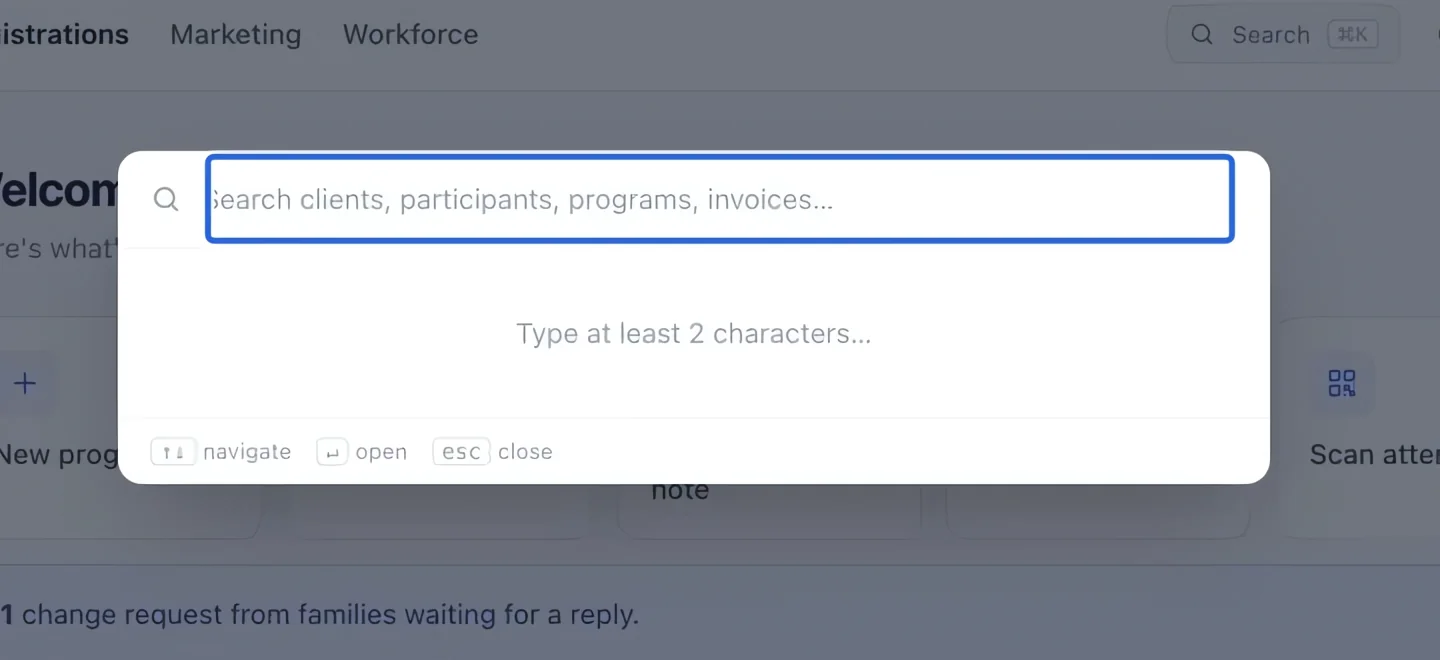
Click Search in the top bar, or press ⌘K on Mac / Ctrl+K on Windows. Type a client name, program name, or invoice number. Click the matching result to open it.
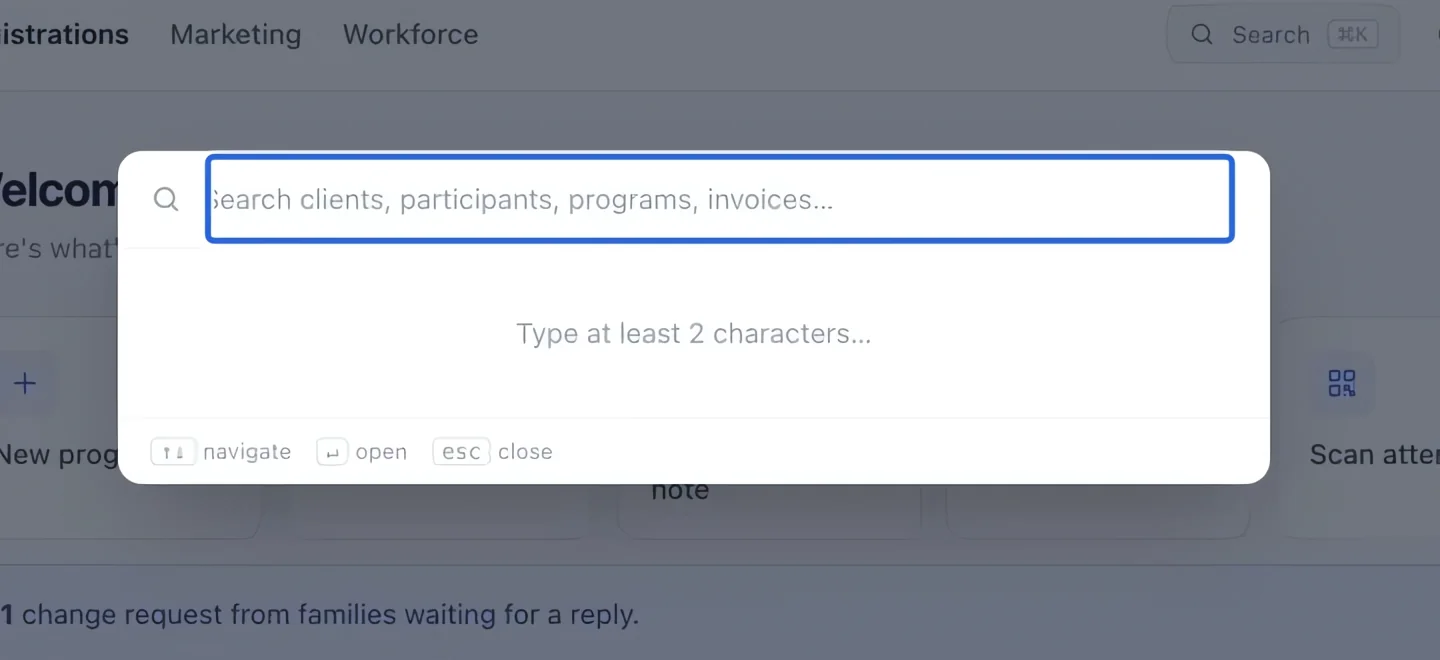
Select the screenshot to enlarge it. The blue outline marks the control to use.
- 4
Open your organization’s public portal
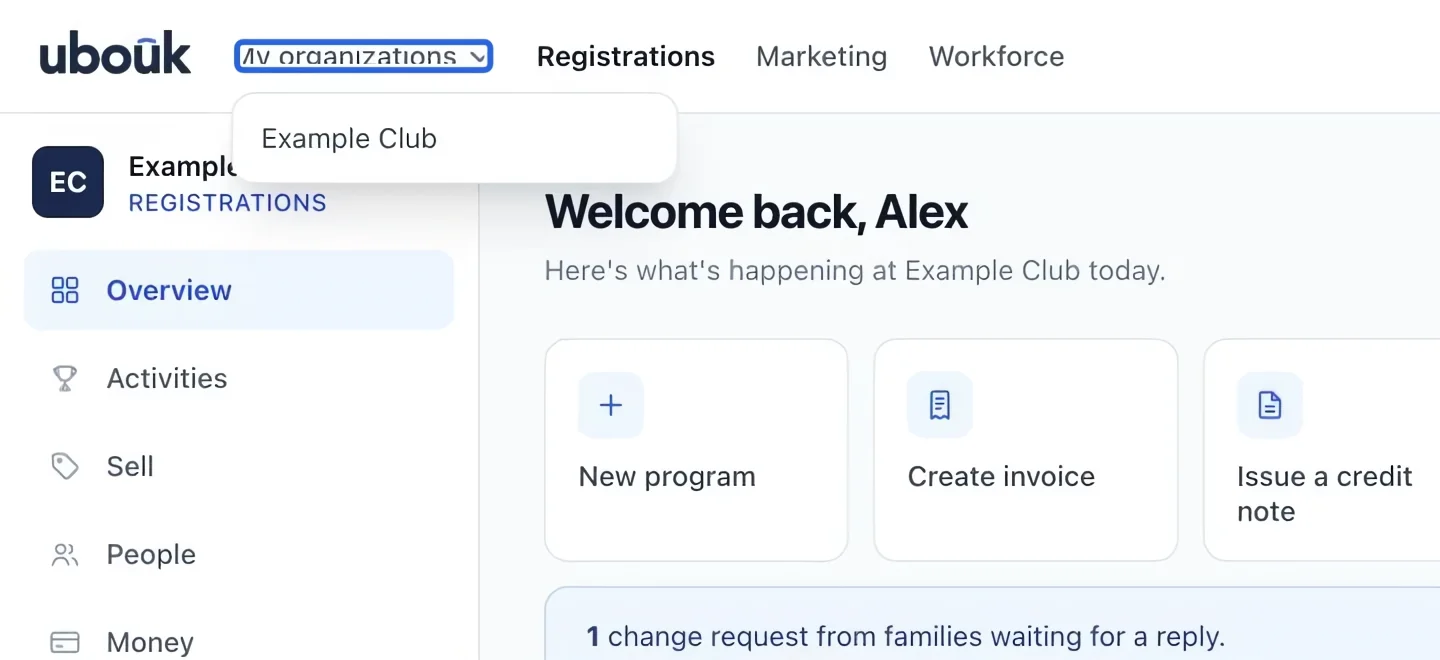
Open My organizations in the top bar, then select your organization’s portal link. This menu replaces the former Public site shortcut. The portal is the website families use to browse and register.
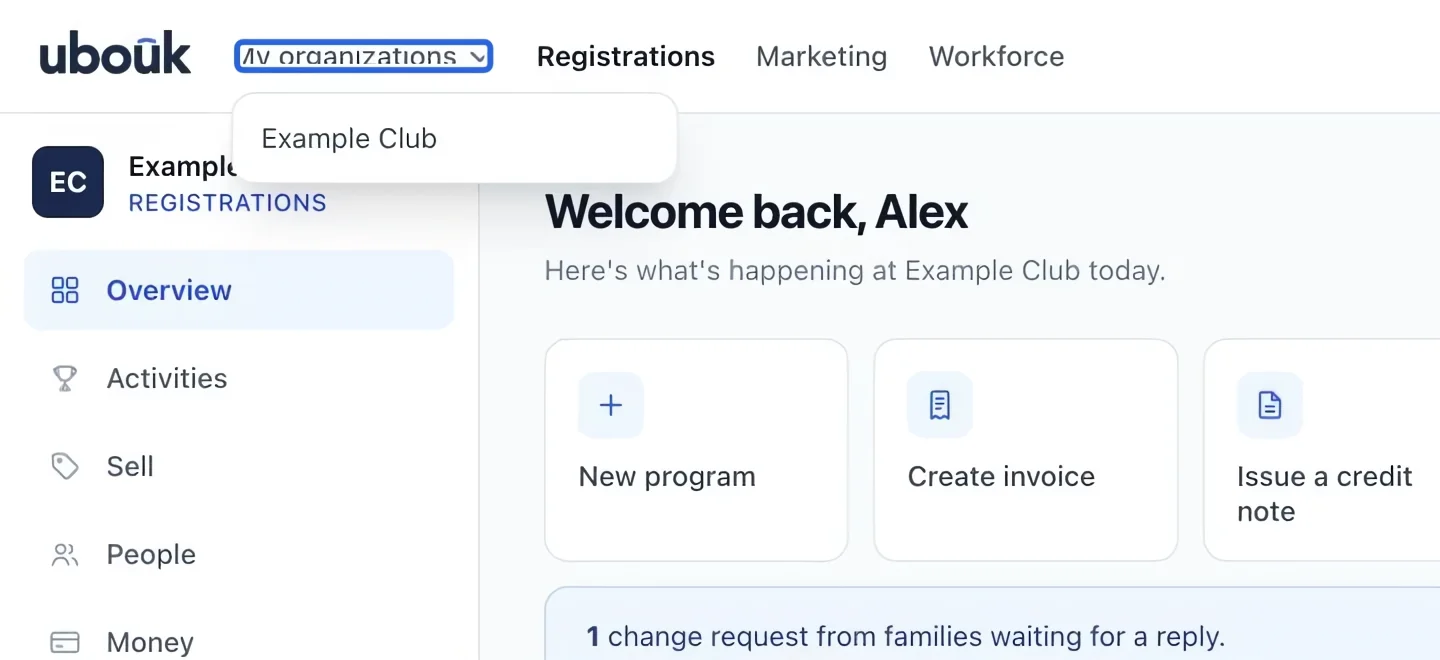
Select the screenshot to enlarge it. The blue outline marks the control to use.
- 5
Find help again
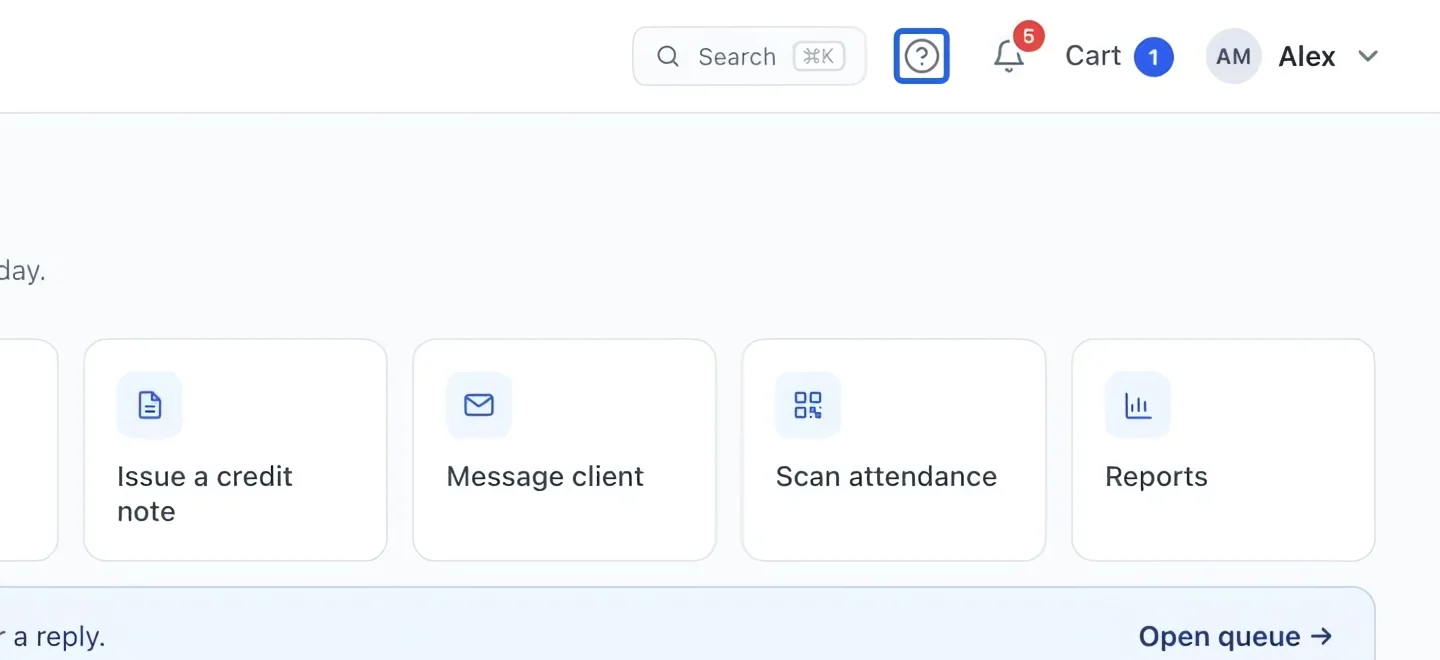
Click the ? / Help Center link in the top bar. Search for the task you want to complete. In each tutorial, follow the steps in order; click an image to enlarge the highlighted control.
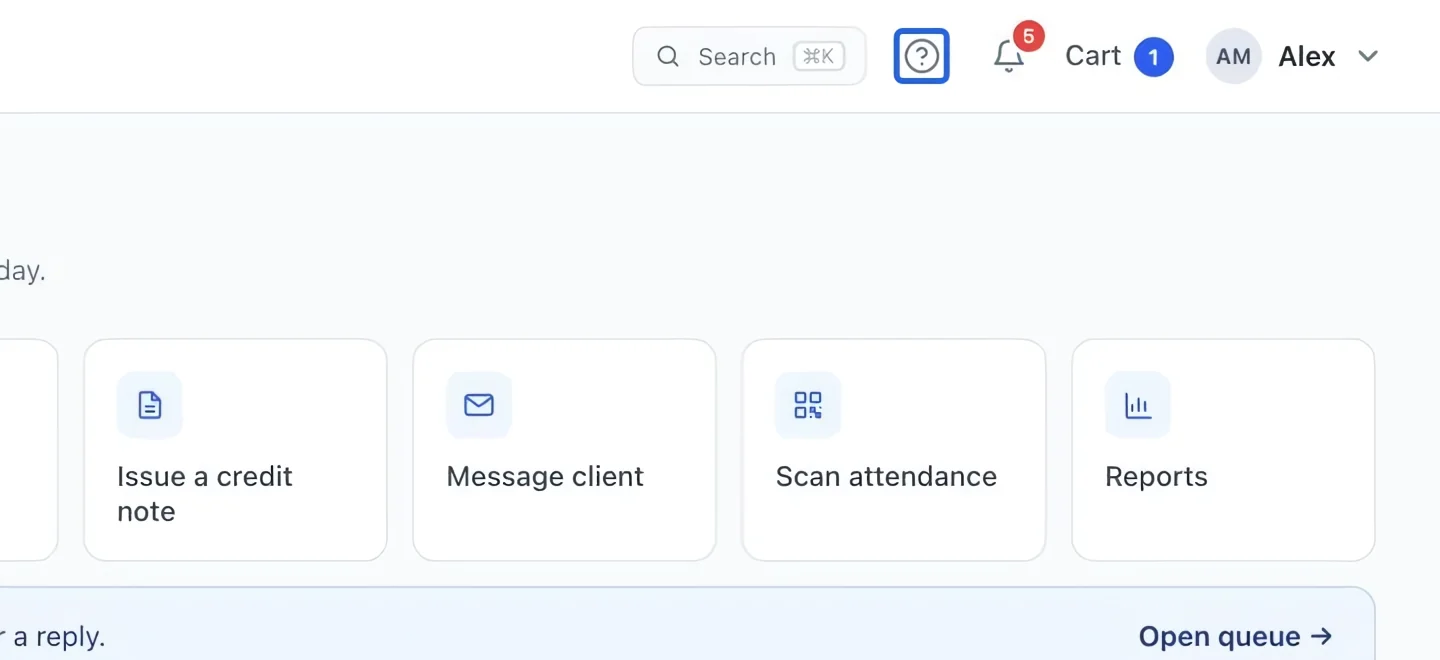
Select the screenshot to enlarge it. The blue outline marks the control to use.
- 6
Use search within your access
Search results follow your organization and permissions. A payment result opens its financial detail page; the family receipt remains with the original payer. Coaches only see the sections and programs their role allows. Learn about the Assistant.