
Review your plan and platform billing
Find the organization’s plan, review an offered change and check its confirmed billing state.
- 1
Find the current organization plan
Open Settings → Manage plan & billing with the appropriate management rights. Check the organization, current plan, billing interval and available modules. This is the club’s Ubouk subscription, separate from memberships sold to families.
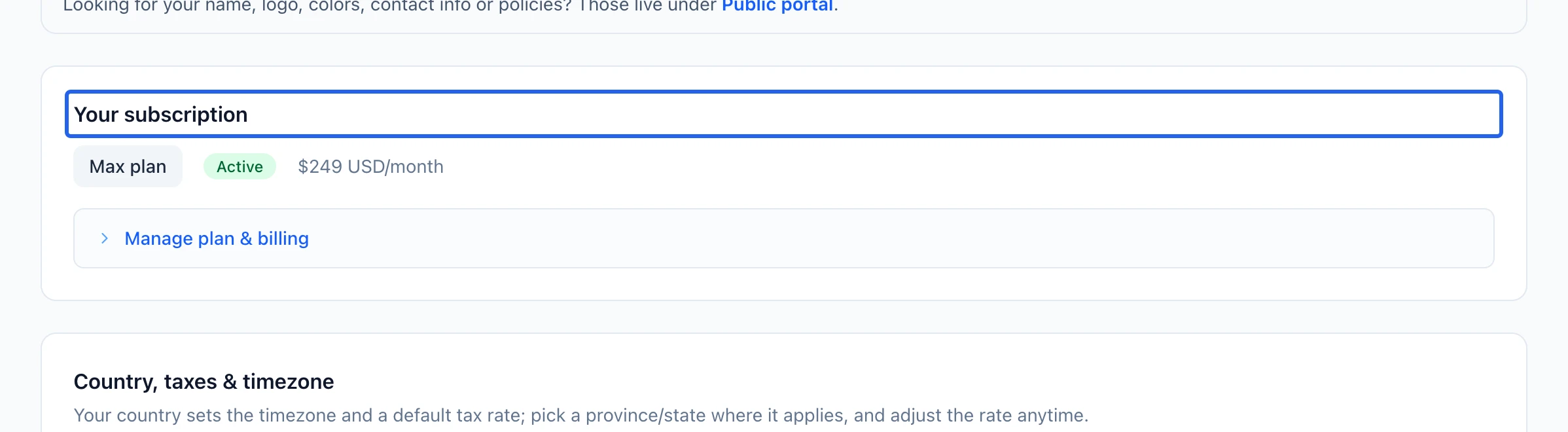
Select the screenshot to enlarge it. The blue outline marks the control to use.
- 2
Review the offered change and final status
Use the available plan controls to review the amount, billing term and effective change before confirming. Complete any requested payment, then check the returned success or pending message. A change awaiting billing-team confirmation is not yet a confirmed new plan. Review the organization’s billing contact details in the same settings area.
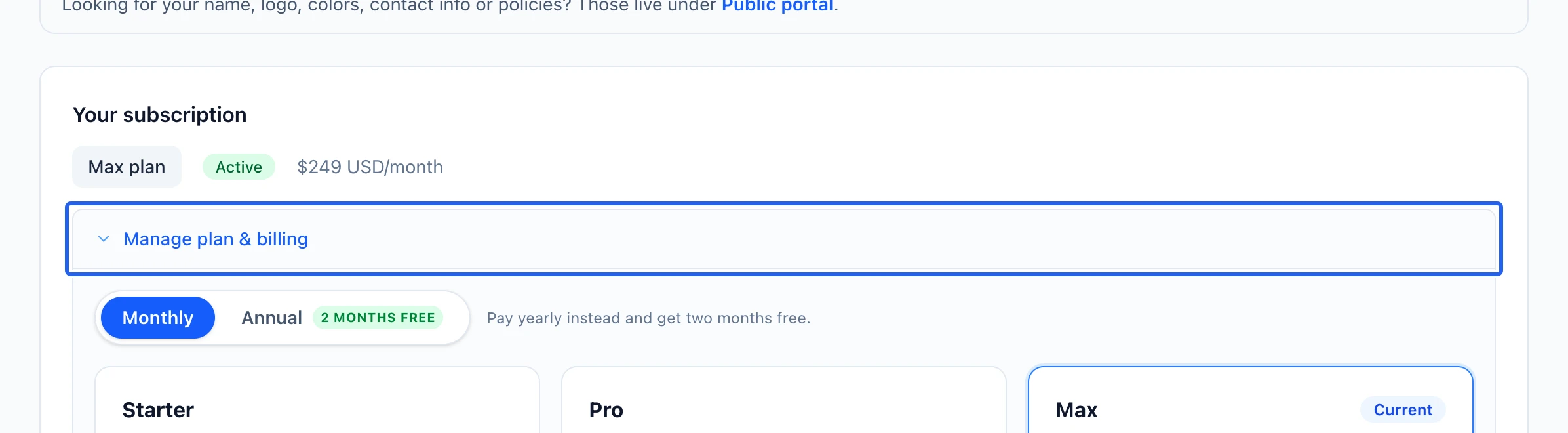
Select the screenshot to enlarge it. The blue outline marks the control to use.
Keep going
Country, sales taxes, timezone, your subscription plan and plan billing: the foundation everything sits on.
Getting startedConnect your organization’s Stripe account using the available connection method and verify it before collecting payments.
Getting startedAdd coaches, managers and volunteers with a role that matches what they should see.