
Register a family and find its documents
Follow the public registration journey, confirm participant details and review the final status.
- 1
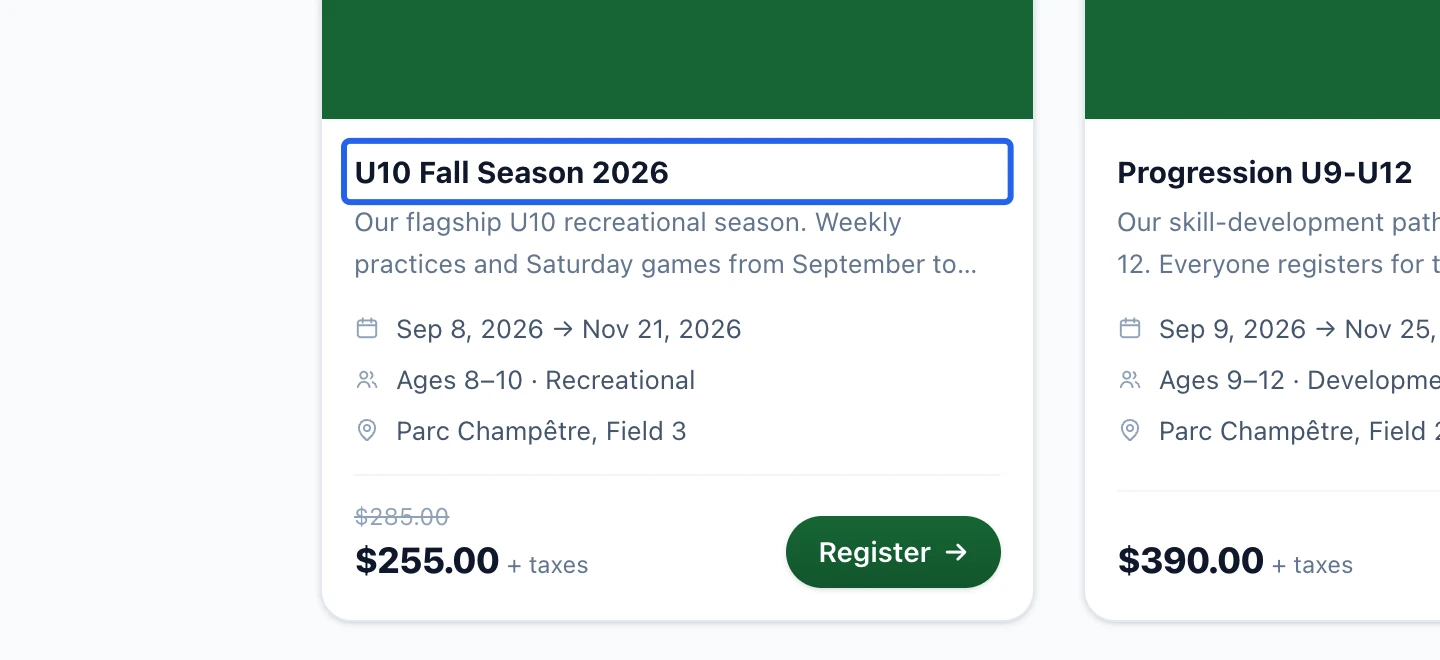
Start from the club portal
Open the club’s public portal, choose a program and check its dates, selected schedules, availability and displayed tax information. A private program may require its direct link. Sign in with your existing account or complete the account information requested in the registration flow.
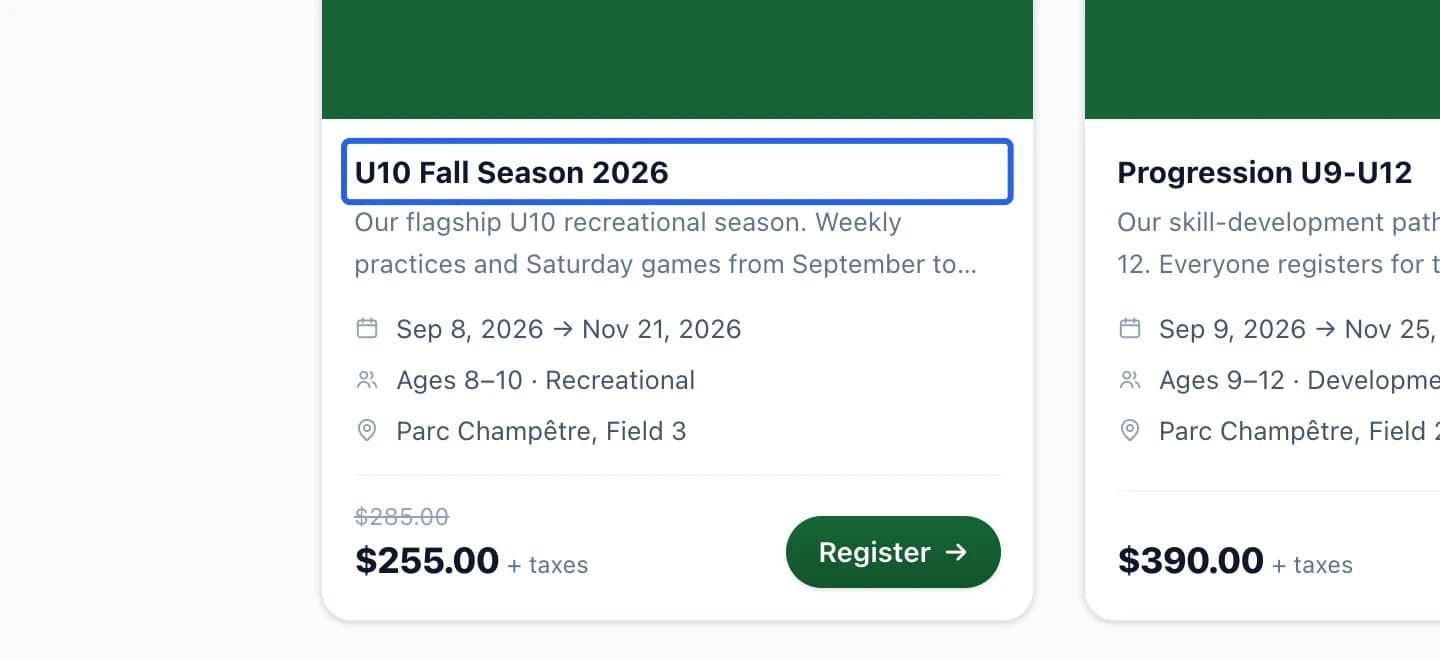
Select the screenshot to enlarge it. The blue outline marks the control to use.
- 2
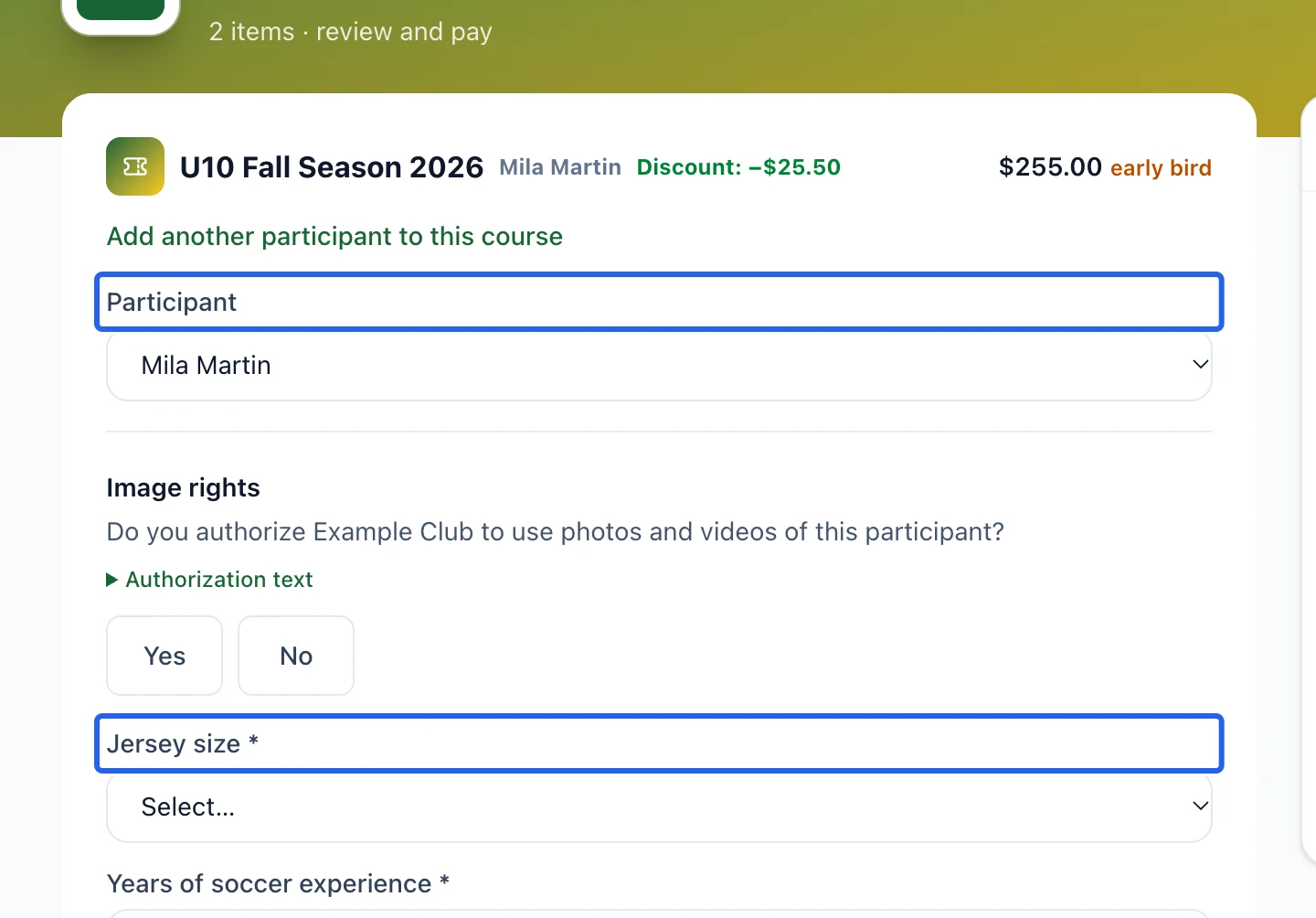
Confirm each participant’s profile
Select an existing participant or add the participants offered by the form. Review and correct their details, complete the club’s required profile and answer the program questions. Communication preferences and image permission remain separate, optional choices. Accept the program’s required waiver only after reading it.
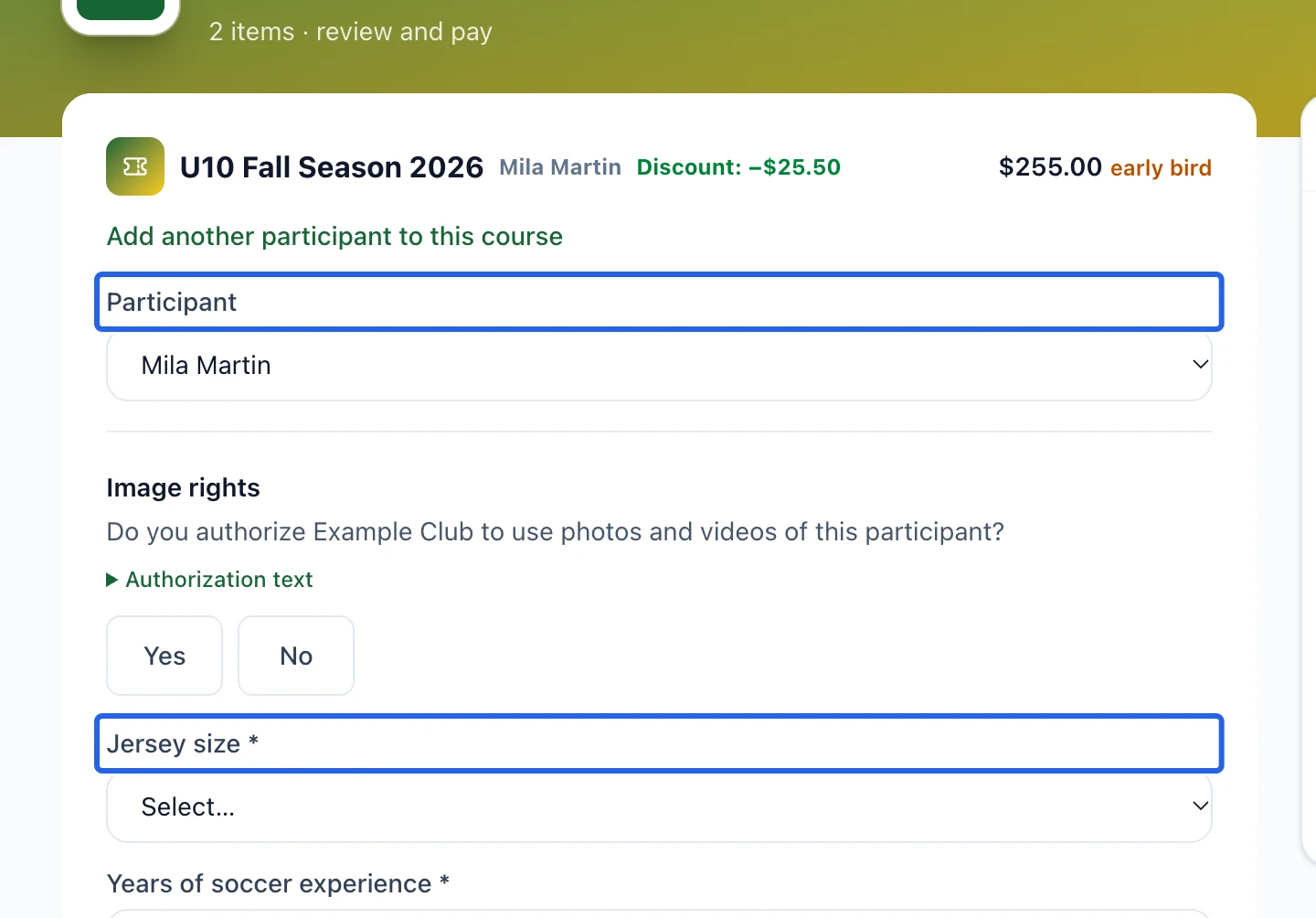
Select the screenshot to enlarge it. The blue outline marks the control to use.
- 3
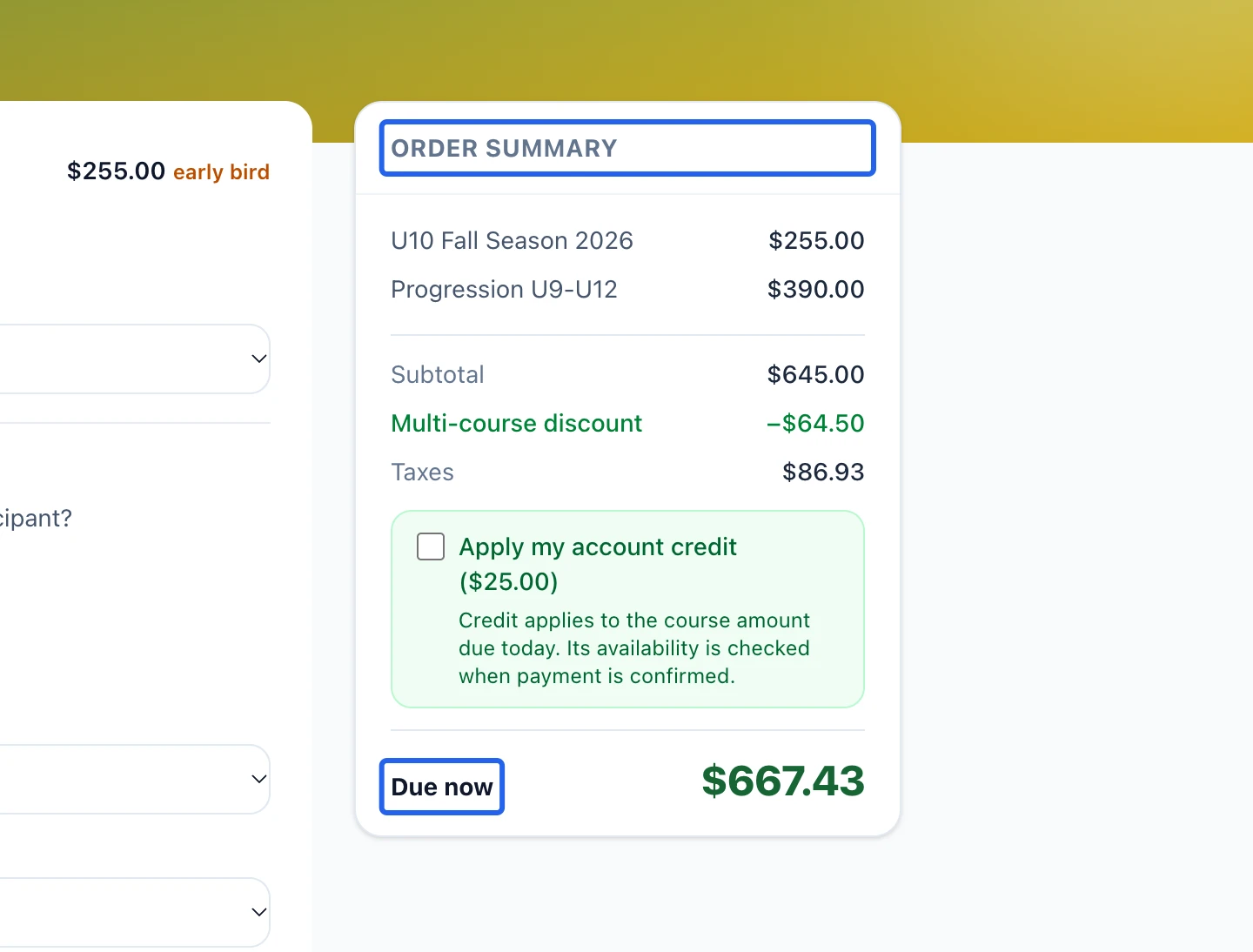
Review the total and finish registration
Review participants, options, discounts, taxes, any account credit and the amount due today. If a payment plan is offered, read its future dates and amounts. Complete the requested payment or free-registration confirmation. A pending payment, waiting-list entry or unfinished cart is not a confirmed paid place.
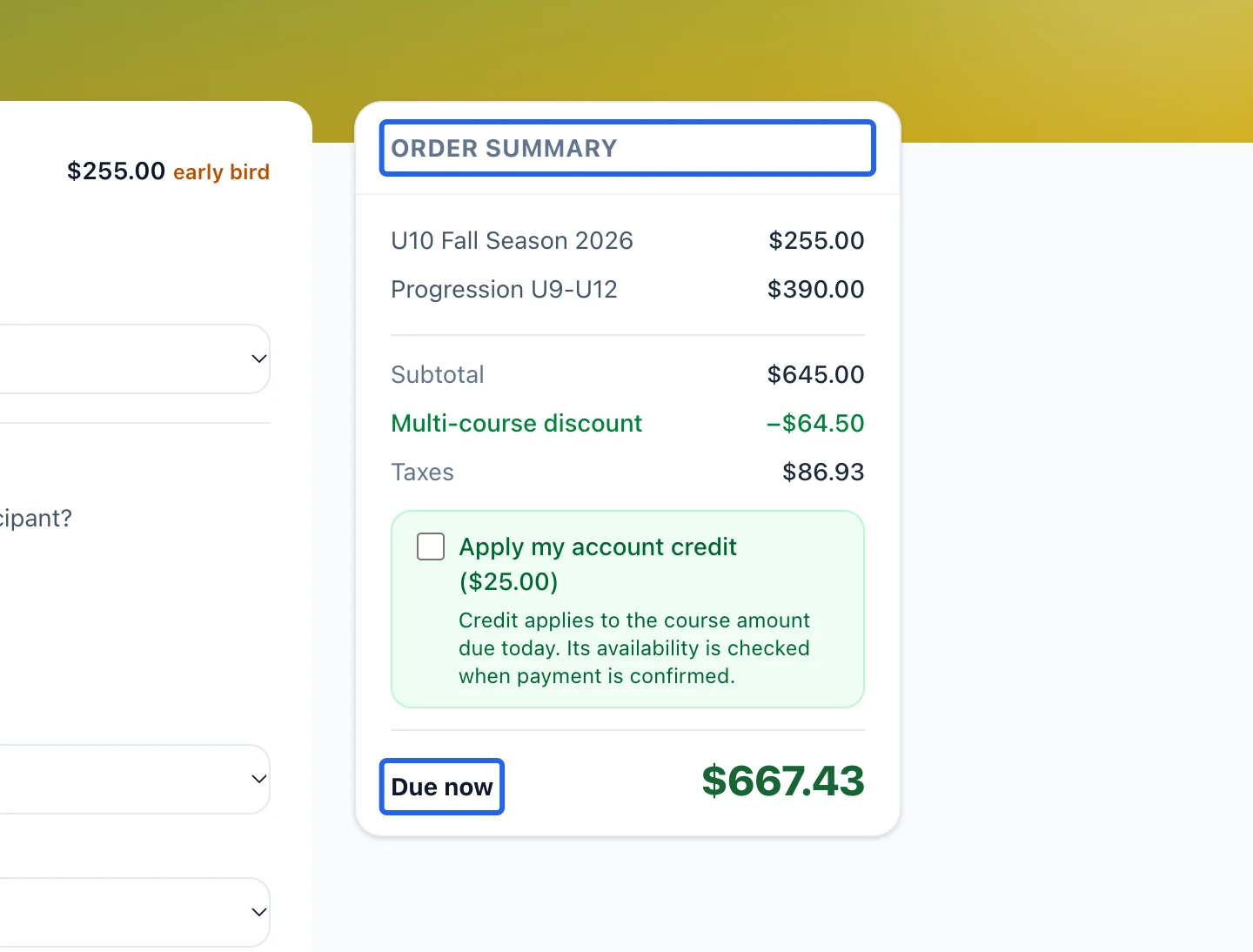
Select the screenshot to enlarge it. The blue outline marks the control to use.
- 4
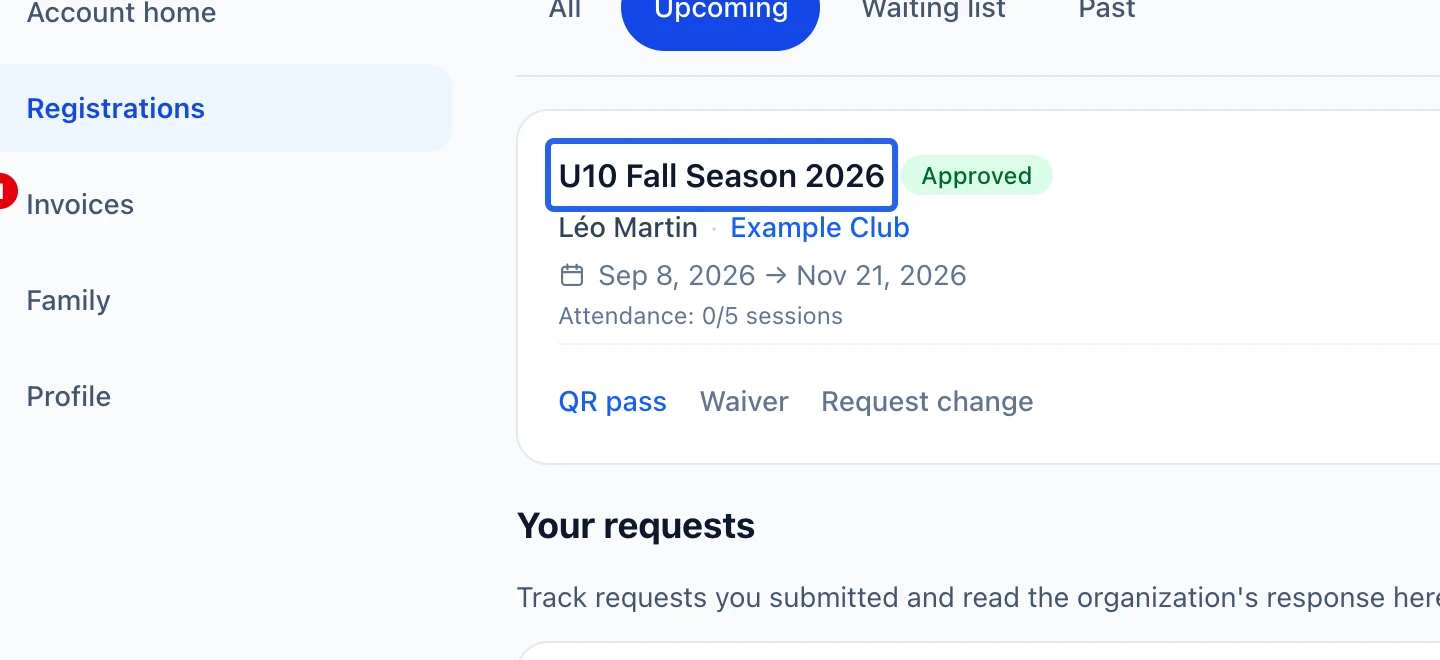
Use the family account afterwards
Open My registrations to inspect status, schedules and available registration actions. Find invoices in My invoices and use the available receipt or pass links. Payment receipts belong to the original payer; shared family access does not transfer those financial documents.
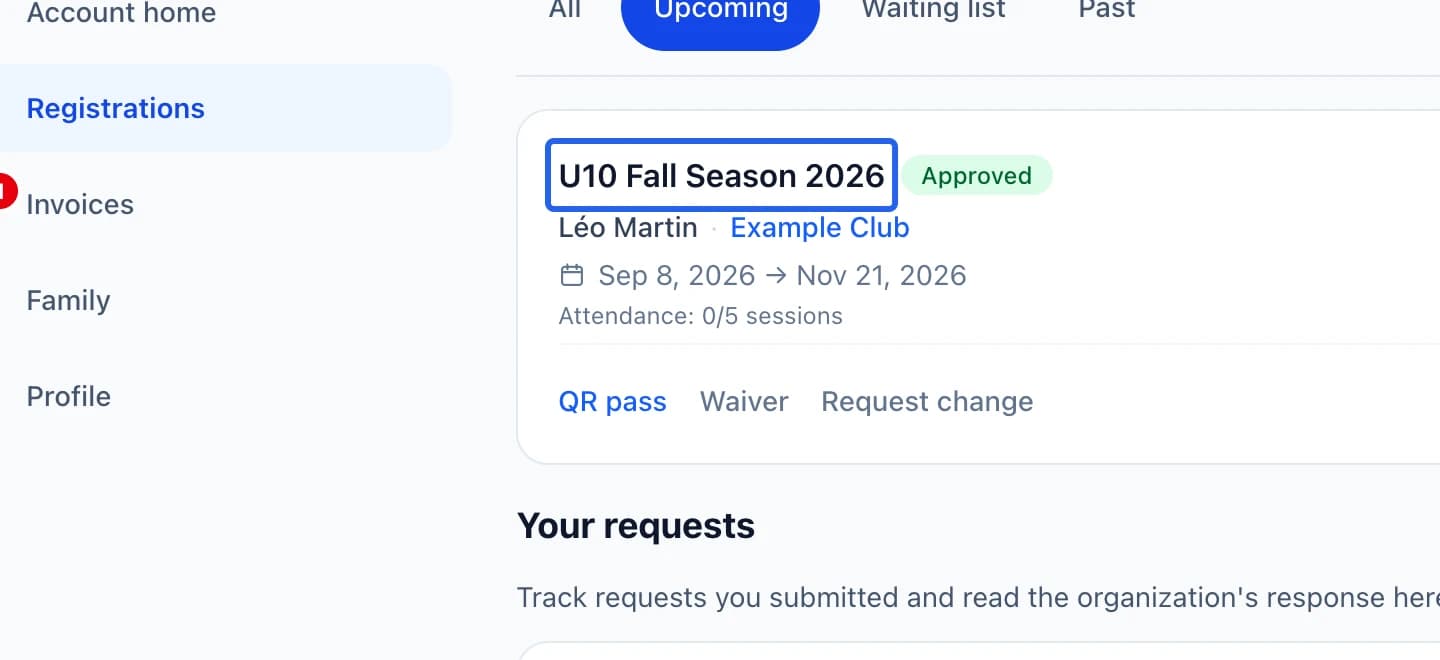
Select the screenshot to enlarge it. The blue outline marks the control to use.
Keep going
Register multiple courses and participants together, then choose full payment or eligible installments after discounts.
Clients & attendanceInvite another adult to view registrations and schedules using their own verified account.
Clients & attendanceReview each waiting list, offer a place and follow the family’s response and deadline.