
Review participant medical information
Open the authorized participant form and save club-relevant medical notes manually.
- 1
Select the participant in the secure form
Open Medical information with registration-management permission. Select the participant and check the family identity before opening the form. Only participants available to your organization appear.
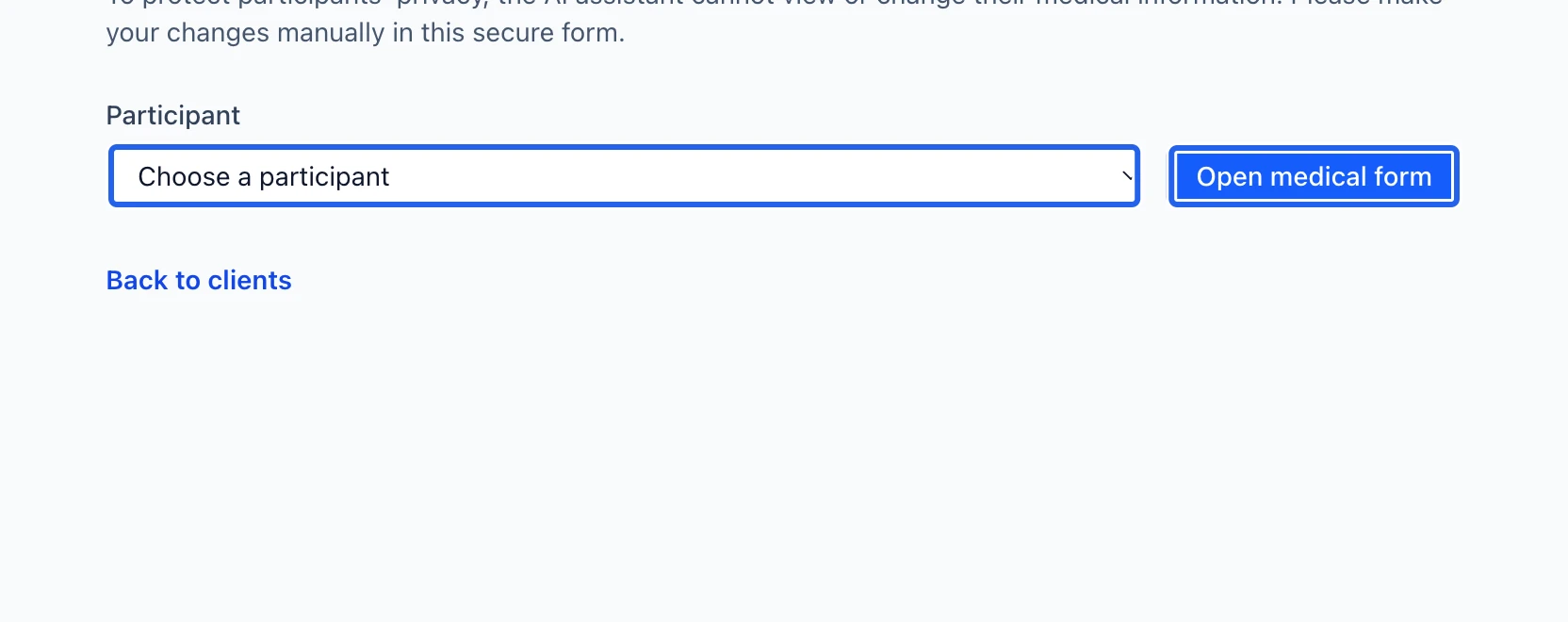
Select the screenshot to enlarge it. The blue outline marks the control to use.
- 2
Save and verify the notes
Review Medical notes and allergies, make the necessary correction and click Save medical information. Wait for the saved confirmation. The Assistant cannot view or change this information; do not paste it into an Assistant conversation. Review club-specific contact and emergency information in the client profile.
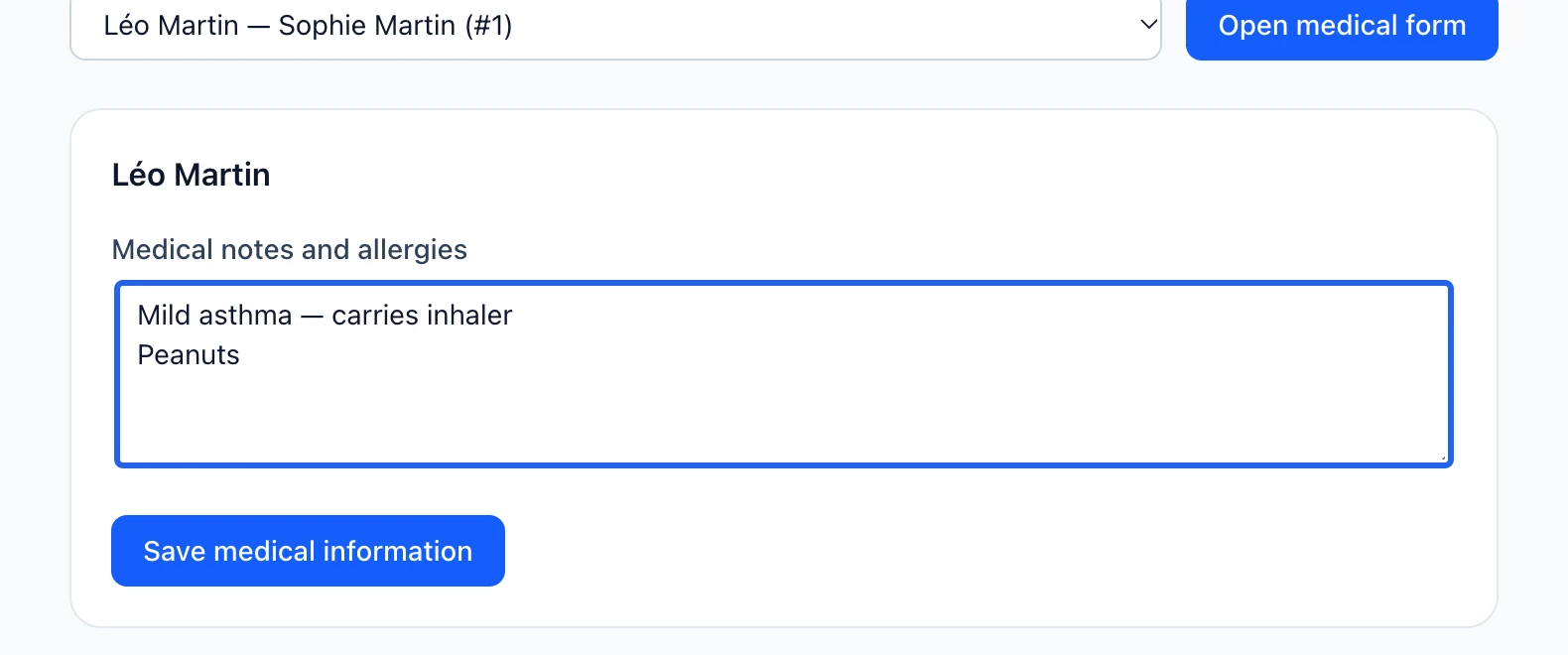
Select the screenshot to enlarge it. The blue outline marks the control to use.
Keep going
Every family in one place: registrations, invoices, memberships, documents, notes and history.
Programs & activitiesChoose the information each family and participant provides to your club, and preview both languages.